Heads Up Email: How to Write One in 2026 (+ Templates)
You’ve probably sent an email and wondered why it got ignored.
No reply, no acknowledgement, just silence.
In most cases, it’s not your offer that’s the problem. It’s the lack of context before you send it.
That’s where a simple heads up email changes everything.
It prepares the recipient, builds curiosity, and makes your next message feel expected instead of random.
In this guide, you’ll learn:
- What a heads up email actually is
- When you should use it in real scenarios
- How to write one that gets replies
- Ready-to-use templates you can copy and adapt
What Is a Heads Up Email?
A heads up email is a short message you send before your main email to prepare the recipient for what’s coming next.
It’s not meant to explain everything in detail.
Instead, it gives just enough context so your next message doesn’t feel random or intrusive.
Think of it like a quick nudge that says, “Hey, something relevant is coming your way.”
For example, you might send a heads up before sharing a proposal, following up, or introducing an idea.
This small step helps you warm up the conversation and makes your actual email easier to read and respond to.
Why Heads Up Emails Matter in 2026
Inbox fatigue is real, and people are quicker than ever to ignore emails that feel unexpected or irrelevant.
If your message shows up without context, it often gets skipped without a second thought.
That’s exactly why heads up emails are becoming more important in 2026.
They help you stand out without being pushy.
Instead of surprising the reader, you guide them into the conversation step by step.
Here’s what that changes for you:
- Your emails feel more thoughtful and less cold
- Open rates improve because the recipient is expecting you
- Replies increase since the context is already set
- You build trust before making any ask
When you use a heads up email, you’re not just sending another message.
You’re making sure your next email actually gets the attention it deserves.
When Should You Send a Heads Up Email?
Now that you know what a heads up email is and why it matters, the next question is simple.
When should you actually use it?
The short answer is anytime your next email needs context to land better.
But in practice, there are a few situations where it makes a noticeable difference.
1. Before a Meeting or Call
Sending a heads up before a meeting helps you set expectations early.
Instead of jumping straight into a calendar invite or agenda, you give the recipient a quick idea of what the conversation will be about.
This makes them more likely to accept the meeting and come prepared.
It also reduces last-minute confusion or back-and-forth.
2. Before Sending a Proposal or Pitch
Proposals often get ignored when they arrive out of nowhere.
A heads up email warms the recipient before you send anything detailed or important.
You can briefly mention what you’re working on and why it’s relevant to them.
So when the actual proposal arrives, it feels expected and worth reviewing.
3. Before a Product Launch or Update
If you’re announcing something new, timing and context matter a lot.
A heads up email builds anticipation without overwhelming the reader with too much information.
You give them a reason to care before the official launch or update email hits their inbox.
This makes your announcement feel more like a continuation, not a surprise.
4. Before Following Up
Follow-ups can easily feel pushy if they come without context.
A quick heads up lets the recipient know you’ll be reaching out again.
It softens the follow-up and makes it feel more respectful of their time.
As a result, your follow-up doesn’t come across as repetitive or annoying.
5. Internal Team Communication
Heads up emails aren’t just for external communication.
Within your team, they help keep everyone aligned without long explanations.
You can notify teammates about upcoming changes, decisions, or actions in a simple way.
This reduces confusion and keeps workflows smooth without unnecessary meetings.
Key Elements of an Effective Heads Up Email
Now that you know when to send a heads up email, the next step is getting it right.
Because a poorly written heads up email can feel just as confusing as no context at all.
The goal here is simple.
Keep it clear, intentional, and easy to act on.
1. Clear Subject Line
Your subject line sets the expectation before the email is even opened.
If it’s vague or overly clever, your message might get ignored.
Instead, make it obvious that this is a quick heads up.
Something simple and direct works best.
- “Quick heads up before I send this”
- “Sharing something relevant tomorrow”
- “Heads up about an idea for you”
This builds curiosity without feeling clickbaity.
2. Context in One Line
You don’t need a long explanation here.
Just one line that tells the reader why you’re reaching out.
This helps them instantly understand the relevance.
Think of it as giving them just enough background to stay interested.
3. What’s Coming Next
A heads up email only works if you clearly mention what’s coming next.
Are you sending a proposal, a follow-up, or an update?
Tell them directly so they know what to expect.
This removes uncertainty and makes your next email feel natural.
4. Value or Benefit
This is where you answer the silent question in their mind.
“Why should I care?”
Briefly highlight what’s in it for them.
It could be a solution, an idea, or something that saves time or improves results.
Even one clear benefit can make a big difference.
5. Light Call-to-Action (Optional)
Not every heads up email needs a strong CTA.
But in some cases, a soft nudge can help.
You can invite them to reply, share thoughts, or simply watch out for your next email.
Keep it low-pressure and easy to respond to.
6. Short & Scannable Format
This is not the place for long paragraphs.
Your heads up email should be quick to read and easy to scan.
Use short sentences, clean spacing, and simple language.
If someone can understand your message in a few seconds, you’ve done it right.
Heads Up Email Templates (Ready to Use)
Now that you understand the structure of a good heads up email, the easiest way to apply it is by using proven templates.
You don’t need to start from scratch every time.
These templates give you a solid base that you can quickly customize based on your situation.
1. General Heads Up Email Template
Use this when you simply want to prepare someone for an upcoming email without any specific context like sales or meetings.
Subject: Quick heads upQuick heads up
Hi [First Name],
Just wanted to give you a quick heads up that I’ll be sharing something with you shortly.
It’s related to [brief context], and I think you’ll find it relevant based on [reason].
Will send it over soon — feel free to take a look when you get a chance.
Best,[Your Name]
This works well because it stays neutral, clear, and easy to adapt for different use cases.
2. Sales Heads Up Email Template
When you’re about to send a pitch or proposal, this template helps you warm things up first.
Subject: Sharing something relevant soonSharing something relevant soon
Hi [First Name],
Wanted to give you a quick heads up before I send something your way.
I’ve been working on an idea around [specific problem or goal], and it might be useful for [their company or role].
I’ll share a quick breakdown shortly so you can see if it’s worth exploring.
Best,[Your Name]
This makes your upcoming sales email feel thoughtful instead of cold.
3. Follow-Up Heads Up Email Template
If you plan to follow up but don’t want to sound pushy, this approach softens the interaction.
Subject: Quick follow-up heads upQuick follow-up heads up
Hi [First Name],
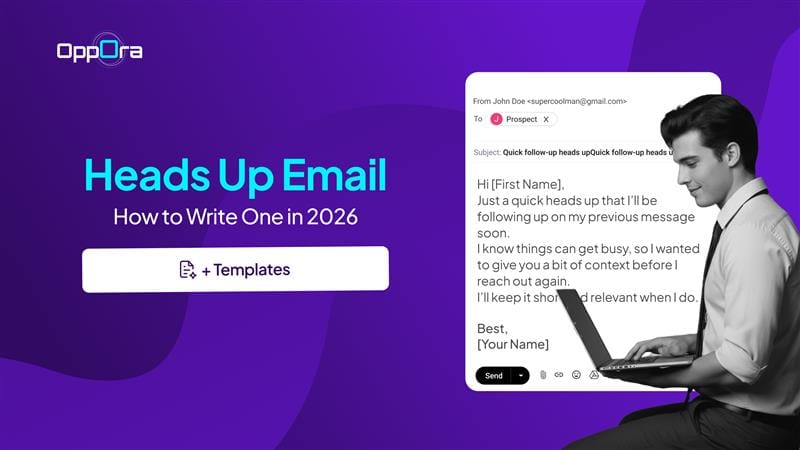
Just a quick heads up that I’ll be following up on my previous message soon.
I know things can get busy, so I wanted to give you a bit of context before I reach out again.
I’ll keep it short and relevant when I do.
Best,[Your Name]
This shows respect for their time and reduces friction when your follow-up arrives.
4. Meeting Heads Up Email Template
Use this when you’re planning to send a meeting invite or schedule a call.
Subject: Quick heads up about a callQuick heads up about a call
Hi [First Name],
Wanted to give you a quick heads up before I send over a meeting invite.
I’d love to connect briefly to discuss [topic or goal], as I think it could be valuable for [specific reason].
I’ll share a couple of time options shortly.
Best,[Your Name]
This increases the chances of your invite being accepted instead of ignored.
5. Internal Team Heads Up Email Template
This is useful when you want to keep your team aligned without long explanations.
Subject: Quick heads up for the teamQuick heads up for the team
Hi Team,
Quick heads up that [update or change] is coming up.
This will impact [area or workflow], so I’ll be sharing more details shortly.
Please keep an eye out and let me know if you have any immediate questions.
Thanks,[Your Name]
This keeps communication clear and avoids unnecessary meetings or confusion.
These templates are meant to save you time, not limit you.
Once you get comfortable using them, you’ll naturally start tweaking the tone and structure based on your audience and goals.
Real Examples of Heads Up Emails (That Work)
Templates are helpful, but seeing how heads up emails look in real situations makes it easier to apply them.
Below are a few practical examples you can relate to and adapt based on your context.
Example 1: Before sending a proposal
Instead of directly dropping a detailed proposal, you warm things up first.
“Hi Sarah,
Quick heads up — I’ve put together a few ideas on improving your outbound response rates based on what I saw.
I’ll share a short proposal shortly so you can review if it makes sense for your team.”
This works because it builds curiosity without overwhelming the reader.
Example 2: Before a follow-up
Follow-ups often feel repetitive, but a heads up changes the tone completely.
“Hi Mark,
Just a quick heads up that I’ll be circling back on my previous email.
I know things get busy, so I’ll keep it short and relevant when I follow up.”
Now your follow-up feels expected, not intrusive.
Example 3: Before scheduling a meeting
Instead of sending a cold calendar invite, you ease into it.
“Hi Alex,
Wanted to give you a quick heads up before I send a calendar invite.
Would love to connect briefly on how you’re currently handling lead qualification — I think there’s something worth discussing.”
This increases acceptance because the context is already set.
Example 4: Before a product update
If you’re announcing something new, preparation matters.
“Hi Priya,
Quick heads up — we’re rolling out an update that simplifies how you manage email sequences.
I’ll share the details shortly so you can see what’s changing and how it helps.”
Now the actual announcement feels relevant, not random.
Each of these examples follows the same pattern.
They are short, clear, and focused on preparing the reader for what’s coming next.
Best Practices to Improve Your Heads Up Emails
Now that you’ve seen what good heads up emails look like, the next step is improving how you write them.
Small tweaks here can significantly impact how your emails are received.
1. Keep it under 5 lines
If your heads up email starts looking like a full message, it defeats the purpose.
Your goal is to prepare, not explain everything.
Shorter emails get read faster and feel lighter to respond to.
2. Make it feel personal, not automated
Even though it’s a simple message, avoid making it sound generic.
Mention something specific when possible.
It shows that you’re reaching out with intent, not just sending mass emails.
3. Don’t oversell or overpromise
A heads up email is not the place to pitch aggressively.
If it feels too salesy, it can reduce trust before your main email even arrives.
Keep the tone neutral and helpful.
4. Time it right
Sending a heads up too early can make people forget.
Sending it too late defeats its purpose.
Ideally, send it a few hours to a day before your main email.
This keeps it fresh in the recipient’s mind.
5. Stay consistent with your next email
Your heads up sets an expectation.
If your next email doesn’t match it, you lose credibility.
Make sure what you send next aligns with what you promised.
6.Test and refine over time
Not every audience responds the same way.
Try different subject lines, tones, and formats.
Pay attention to open and reply rates, and adjust accordingly.
When you apply these best practices, your heads up emails stop being just a small step.
They become a simple but powerful way to improve how all your emails perform.
How AI Tools Can Help You Write Better Heads Up Emails
By now, you know that heads up emails are simple in theory.
But in practice, writing them consistently — with the right tone, clarity, and timing — can still take effort.
That’s where AI tools start to make a real difference.
Instead of staring at a blank screen, you can generate a solid first draft in seconds.
You just give a bit of context, and AI helps you structure the message clearly.
Here’s how it actually helps you improve:
- Faster writing without overthinking: You don’t spend time figuring out how to start or phrase things
- Better clarity and structure: AI naturally keeps your message short and focused
- Personalization at scale: You can tailor heads up emails for different recipients without rewriting everything
- Consistency across emails: Your tone and format stay aligned, even as you send more messages
But here’s the important part.
Most AI tools stop at helping you write the email.
You still have to figure out who to send it to, when to send it, and how to follow up.
That’s where tools like Oppora fits.
Instead of just generating a heads up email, it helps you handle the entire flow around it.
You define who you want to reach and what you’re offering.
From there, the system can:
- Find the right people to contact
- Write personalized emails (including heads up emails)
- Send them at the right time
- Follow up automatically
- Even handle replies and book meetings
So you’re not just writing better emails.
You’re making sure those emails actually reach the right people and lead to real conversations.
Conclusion
Heads up emails might look like a small step, but they can completely change how your emails are received.
Instead of surprising the reader, you guide them into the conversation.
That one shift makes your emails feel more thoughtful, relevant, and worth opening.
The best part is you don’t need to overcomplicate it.
Keep it short, clear, and focused on what’s coming next.
Once you start using heads up emails consistently, you’ll notice something important.
Your emails don’t just get delivered.
They actually get read — and replied to.
Frequently Asked Questions
How long should a heads up email be?
A heads up email should ideally be between 50–125 words. The goal is to be quick and clear—just enough to provide context and set expectations without overwhelming the reader.
Should a heads up email include a call-to-action?
It can, but it should be low-pressure. Instead of asking for a commitment, use soft prompts like “Let me know if that works” or “Happy to adjust if needed.”
Are heads up emails effective for cold outreach?
Yes, they are highly effective. A heads up email can warm up cold prospects by introducing context before a pitch, which increases trust and improves reply rates.
Can heads up emails be automated?
Yes, they can be automated using email tools or AI platforms. However, they should still feel personal and relevant, using dynamic fields or segmentation to avoid sounding generic.