How to Check If an Email Address Is Valid (Avoid Fake & Bouncing Emails)
Learn how to check if an email address is valid, avoid fake or bouncing emails, and protect your deliverability with accurate email verification.
Sending emails without checking whether the email address is valid is one of the fastest ways to ruin an outreach campaign — quietly.
Most teams realize the problem only after:
- bounce rates spike,
- emails stop landing in inboxes,
- or their domain reputation drops without warning.
If you’ve ever asked:
- How do I check if an email address is valid?
- How can I avoid fake or non-existent emails before sending?
- Why do my emails bounce even though they “look” correct?
This guide answers those questions in depth — and shows how modern verification tools like Oppora solve this problem at scale.
What Does “Valid Email Address” Actually Mean?
Many people assume that if an email “looks right,” it must be valid. That’s rarely true.
A valid email address must pass multiple checks, not just formatting.
An email is considered invalid if:
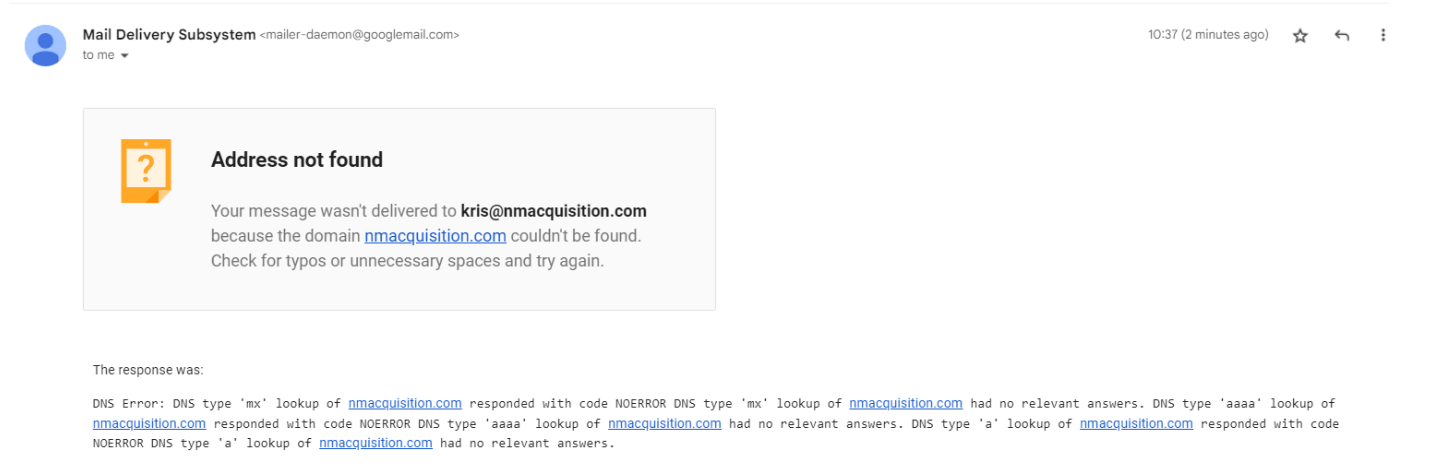
- The domain doesn’t exist
- The mail server rejects the address
- The inbox has been deleted or disabled
- The email is disposable or temporary
- The address is fake or randomly generated
- The domain accepts emails but has no real mailbox (catch-all risk)
This is why basic checks fail.
Why Checking Email Validity Is Critical (Not Optional)
Email providers like Gmail, Outlook, and Yahoo don’t judge your emails by content alone. Long before your message is read, these systems evaluate how responsibly you send emails. One of the strongest trust signals they track is whether your emails are reaching real inboxes.
When emails are sent to invalid or fake addresses, it sends a clear message to providers: this sender is careless with data. Once that signal appears consistently, recovery becomes difficult — even if your future emails are legitimate.
That’s why checking email address validity is not a “nice-to-have” step. It’s a foundational requirement for any outreach effort.
Let’s break down what actually goes wrong when email validity is ignored.
1. Hard Bounces Slowly Damage Your Domain
A hard bounce occurs when an email address simply does not exist. This could be due to:
- a deleted inbox,
- a typo in the address,
- or a fake email created to block outreach.
Email providers treat hard bounces as a serious failure. A few isolated cases may be ignored, but repeated hard bounces signal poor list hygiene.
Over time:
- Your domain is marked as unreliable
- Future emails are watched more closely
- Deliverability starts dropping quietly
What makes this dangerous is that you won’t see the damage immediately. The impact compounds campaign after campaign.
2. Lower Inbox Placement (Even for Valid Emails)
Many teams assume that only invalid emails are affected. That’s not how filtering works.
Once your sender reputation drops:
- Even valid emails may stop reaching inboxes
- Messages get routed to spam or promotions
- Open and reply rates decline without explanation

From the provider’s perspective, if you send to bad addresses, you’re more likely to send unwanted mail. Inbox placement is reduced as a precaution.
This is why campaigns with good copy still fail — the emails never get seen.
3. Wasted Outreach Effort That Adds Up Quickly
Every invalid email carries hidden costs.
You lose:
- Time spent researching, writing, and scheduling emails
- Credits used in email tools and automation platforms
- Opportunities that could have gone to real prospects
At a small scale, this feels manageable. At scale, it quietly drains ROI.
Instead of optimizing messaging or targeting, teams end up debugging performance issues caused by poor data.
4. Campaign Throttling and Account Risk at Scale
Most ESPs (Email Service Providers) enforce bounce-rate thresholds. Once crossed:
- Sending speed may be throttled
- Campaigns may be paused automatically
- Accounts may be flagged for review
In extreme cases, domains or IPs are blocked entirely.
This is especially risky for teams running cold outreach, where bounce tolerance is already low. A few unchecked lists can undo months of reputation building.
This is why serious teams always check if an email is valid before sending — not after something breaks.
Why Manual Email Checks Don’t Work at Scale
Knowing that email validity matters is one thing. Trying to check it manually is another — and that’s where most teams run into trouble.
Manual methods might work for one or two emails. They collapse completely once volume enters the picture.
1. Format Validation ([email protected])
This is the most common and weakest check.
It only verifies that:
- the “@” symbol exists,
- the domain looks properly written.
✔ The email looks correct✘ There is no confirmation that the inbox exists
Most fake or non-existent emails pass format checks easily. Relying on this gives a false sense of confidence.
2. Sending a Test Email
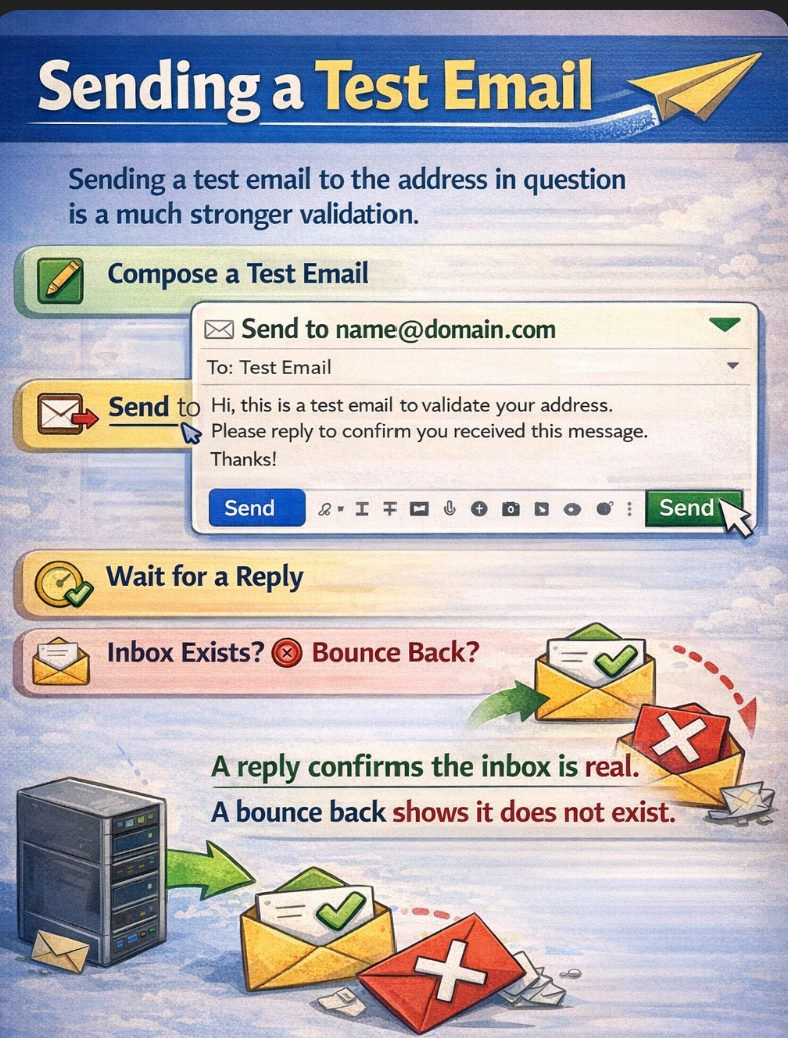
This approach feels logical but is extremely risky.
When you send a test email:
- The bounce is real
- The damage is permanent
- Spam systems record the failure
Repeated test sends can:
- hurt your domain reputation,
- trigger spam monitoring,
- and reduce inbox trust.
This method worked years ago. Today, it actively works against you — especially for cold outreach.
3. Googling or Guessing Email Addresses
Searching online or guessing patterns ([email protected]) may help with one contact.
But at scale:
- It’s slow
- It’s inconsistent
- It introduces more errors than it fixes
Guessing creates uncertainty, and uncertainty is exactly what modern email systems penalize.
How Email Verification Actually Works (Behind the Scenes)
Professional email verification does what humans can’t — it checks email legitimacy without sending a single message.
A real email validator performs live technical checks directly against mail infrastructure.
Here’s what happens during verification:
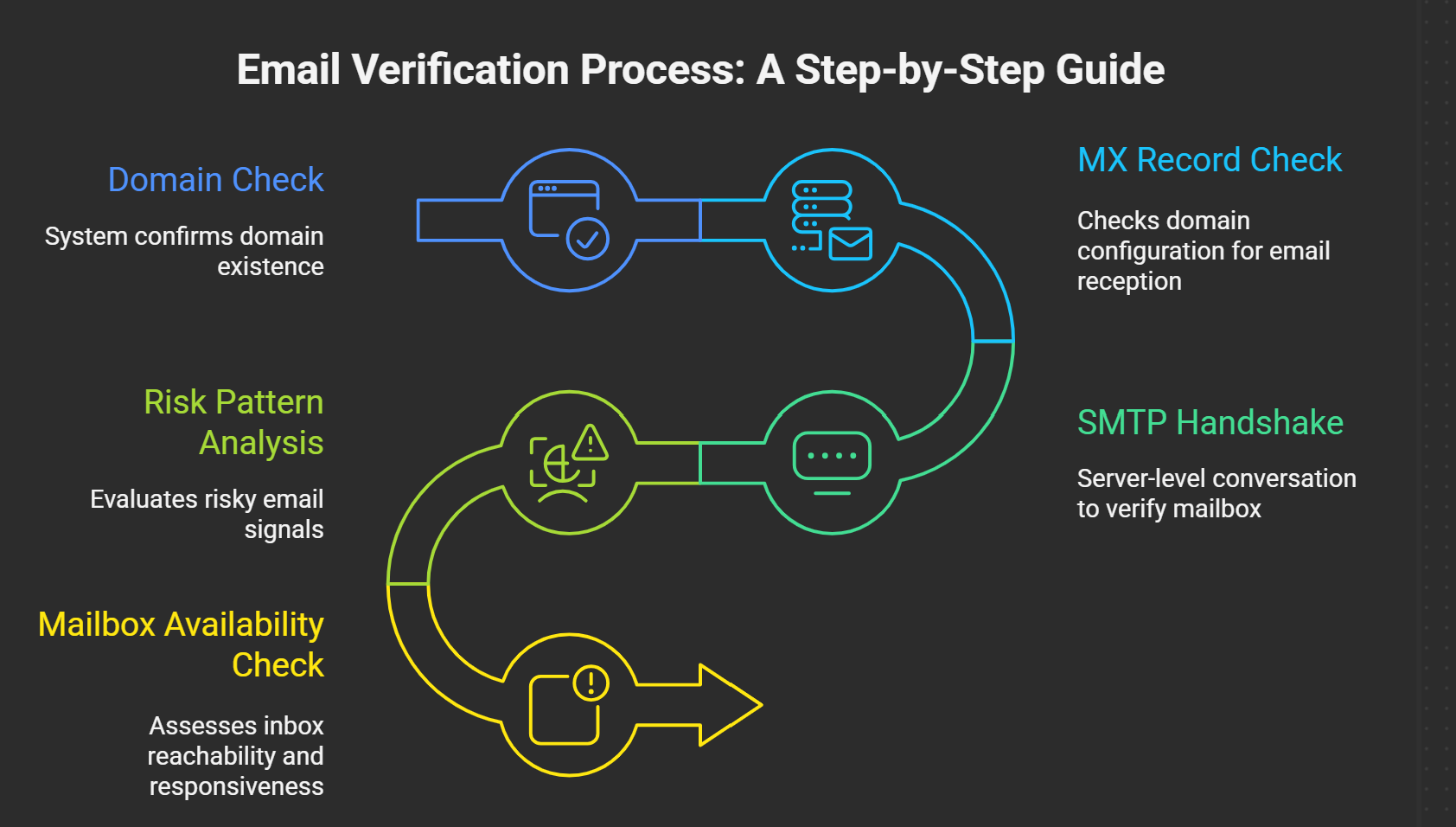
1. Domain Check
First, the system confirms whether the domain exists at all. If the domain is inactive or misspelled, the email is instantly flagged.
2. MX Record Check
Next, it checks whether the domain is configured to receive emails.
No mail servers = no inbox = invalid address.
3. SMTP Handshake
This is the most important step.
The validator communicates with the mail server and asks:
“Does this mailbox exist and can it receive emails?”
No message is sent — just a server-level conversation.
4. Risk Pattern Analysis
The system evaluates:
- disposable email providers,
- known fake domains,
- role-based addresses,
- suspicious formatting patterns.
These signals help identify emails that technically exist but are risky for outreach.
5. Mailbox Availability Check
Finally, it assesses whether the inbox is reachable and responsive — not disabled or blocked.
This layered approach is what makes verification accurate and safe.
Oppora’s Email Validator applies these checks using two verification modes, depending on how much precision you need.
Standard Mode vs Advanced Mode (When to Use Each)
Different campaigns need different levels of certainty. That’s why Oppora offers two verification modes.
A. Standard Mode – Fast Validation for Large Lists
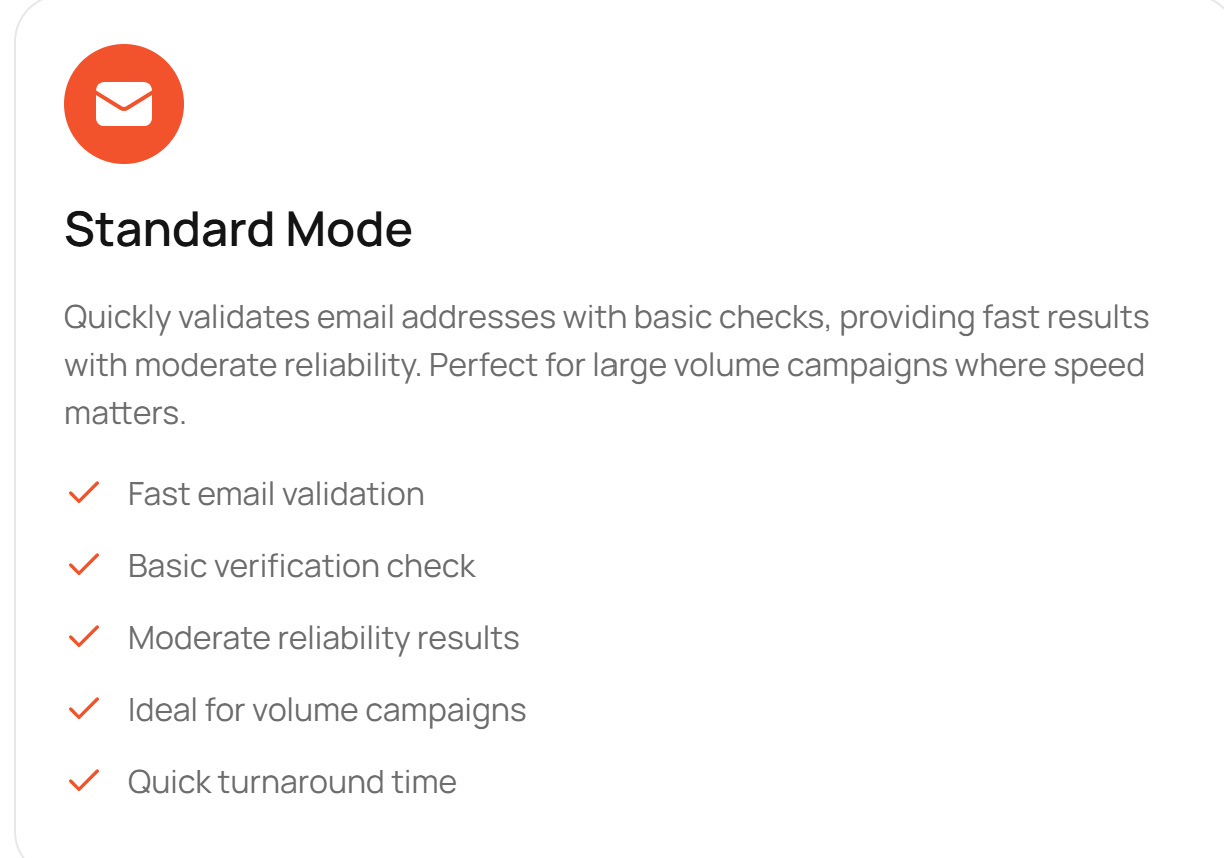
Standard Mode is designed for speed.
Use this when:
- You’re validating thousands of emails
- You want quick list cleanup
- Campaign volume matters more than perfection
What it checks:
- Domain existence
- MX records
- Basic server response
- Common fake and disposable patterns
It quickly removes obvious invalid emails, making it ideal for large prospecting lists.
Best for: high-volume outbound campaigns.
B. Advanced Mode – Deep Verification for Critical Outreach
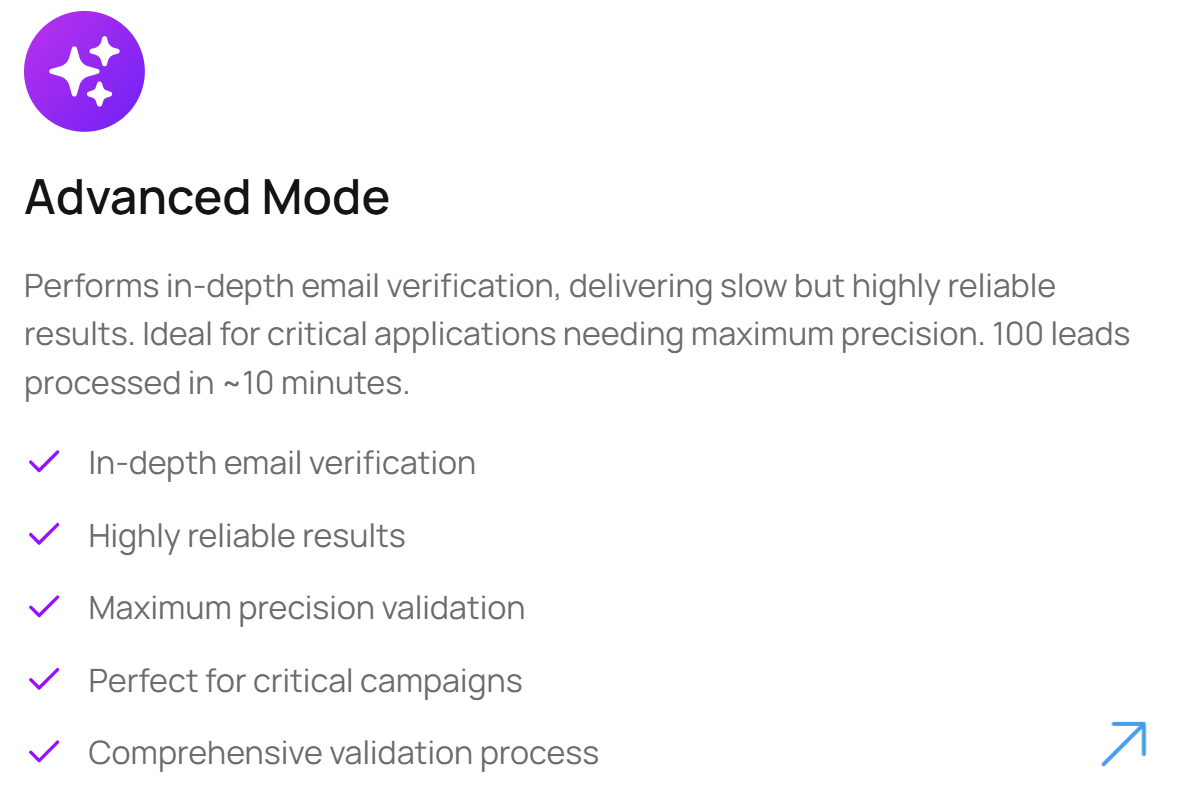
Advanced Mode prioritizes precision.
Use this when:
- You’re targeting high-value accounts
- Each email matters
- Bounce risk must be minimized
What it does:
- Performs deeper SMTP-level checks
- Confirms mailbox existence with higher confidence
- Takes more time (around 100 emails in ~10 minutes)
- Produces highly reliable results
Best for: enterprise outreach, ABM campaigns, founder-led sales.
How to Check If an Email Address Is Valid Using Oppora.ai - 4 Steps
The process is intentionally simple with AI — no technical setup required manually.
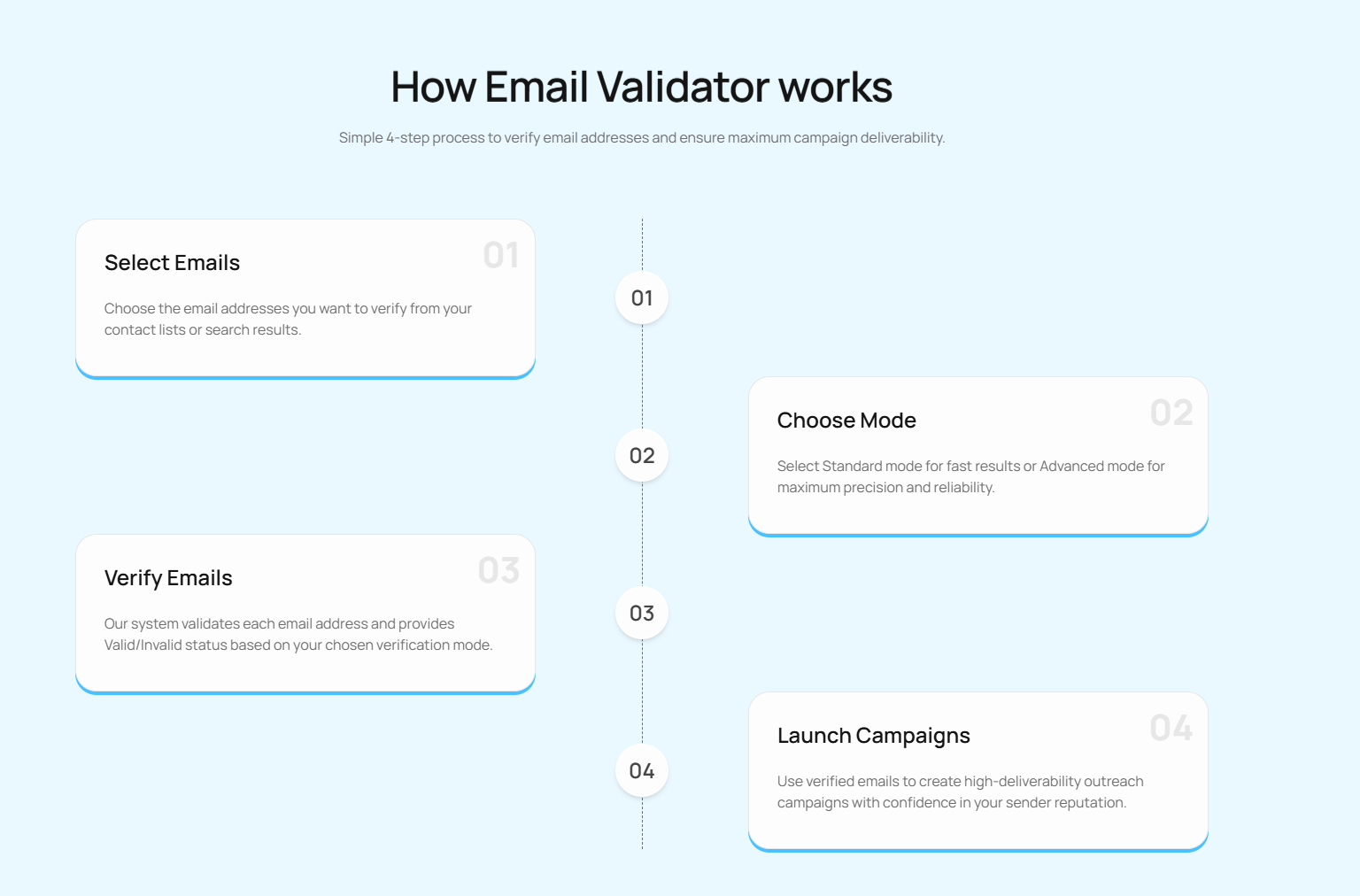
Step 1: Select Your Emails
Upload a list or paste individual email addresses you want to verify.
Step 2: Choose Verification Mode
Select Standard or Advanced based on campaign importance.
Step 3: Run Verification
Oppora.ai checks each email using server-level validation — without sending messages.
Step 4: Use Only Valid Emails
Launch campaigns confidently using clean, verified data.
Conclusion
Email outreach doesn’t fail because teams don’t try hard enough — it fails because emails never reach real inboxes. Invalid, fake, or outdated email addresses quietly damage sender reputation, reduce inbox placement, and waste time that could have gone toward real conversations.
Checking whether an email address is valid before sending is no longer optional. It’s a core part of responsible outreach. From protecting your domain against hard bounces to improving reply rates and campaign analytics, email verification directly impacts every stage of the funnel.
Oppora makes this process practical at scale. With dual verification modes, server-level checks, and a simple workflow, teams can confidently clean their lists and launch campaigns knowing their effort is reaching the right people. When your data is reliable, everything else — messaging, timing, and targeting — works better.
Frequently Asked Questions
How can I tell if an email address is fake?
Fake emails often show patterns like random characters like ([email protected]), disposable domains, role-based addresses (info@, support@), or repeated bounces. Tools like Oppora.ai automatically detect these risks so you don’t have to check manually.
Why does verifying emails improve outreach performance?
Verified emails reduce bounces, improve inbox placement, protect sender reputation, and ensure your messages reach real people—leading to better replies and more reliable campaign results.