How Does LinkedIn Connection Levels Works?
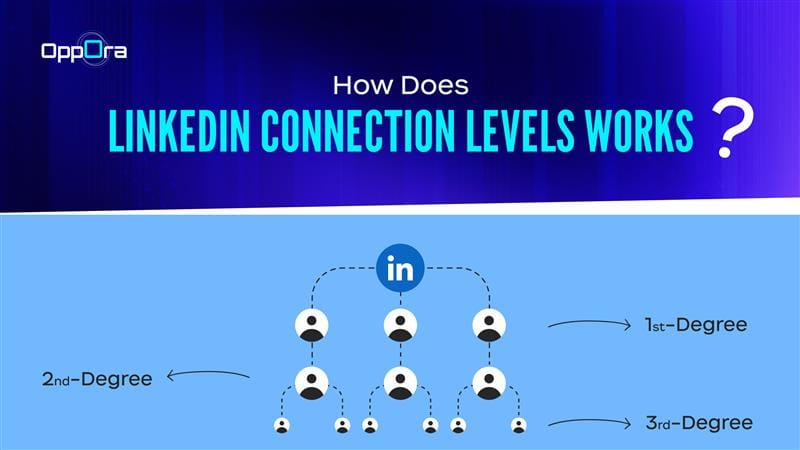
LinkedIn is built around professional networking, but not everyone on the platform is connected to you in the same way. When you browse profiles or search for prospects, you’ll notice labels such as 1st, 2nd, or 3rd next to people’s names. These labels represent LinkedIn connection levels, and they determine how easily you can interact with someone on the platform.
Understanding how these connection levels work is essential for anyone doing B2B outreach, sales prospecting, hiring, or professional networking. The closer someone is in your network, the easier it is to communicate with them.
In this guide, we’ll break down LinkedIn connection levels, how they work, why they matter for outreach, and how sales teams can use them strategically.
What Are LinkedIn Connection Levels?
LinkedIn connection levels represent the degree of separation between you and another LinkedIn member.
Your LinkedIn network is divided into layers based on how closely connected you are to someone. The main levels include:
- 1st-degree connections
- 2nd-degree connections
- 3rd-degree connections
- Out-of-network members
These levels appear next to a person’s name in search results and profiles. They influence how you can message someone, view their profile, and build relationships with them.
Think of LinkedIn networking like real life:
- 1st-degree → People you know directly
- 2nd-degree → Friends of your friends
- 3rd-degree → Friends of those friends
The farther someone is from your network, the harder it becomes to reach them.
The Four LinkedIn Levels of Connection Explained
1. First-Degree Connections (Direct Network)
A 1st-degree connection is someone you are directly connected with on LinkedIn.
This happens when:
- You send a connection request and they accept
- They send a connection request and you accept
Once connected, the relationship becomes part of your immediate LinkedIn network.
What you can do with 1st-degree connections
With first-degree connections, LinkedIn allows you to:
- Send direct messages for free
- View their full profile details
- See more of their posts and updates in your feed
- Access contact information if they share it
Example
Imagine you connect with Amit, a Marketing Director at a SaaS company.
Once he accepts your connection request:
- He becomes your 1st-degree connection
- You can message him directly
- His posts will appear in your LinkedIn feed
For sales teams and founders, these connections form the core of your LinkedIn network.
2. Second-Degree Connections (Mutual Network)
A 2nd-degree connection is someone who is connected to one of your 1st-degree connections.
In other words, you both share at least one mutual connection.
Example
Let’s say:
You → Connected with AmitAmit → Connected with Sarah
Sarah automatically becomes your 2nd-degree connection.
What you can do with 2nd-degree connections
With second-degree connections you can:
- Send them a connection request
- See mutual connections
- View most of their profile
- Message them through InMail (premium)
Why 2nd-degree connections matter
For outreach, 2nd-degree connections are often the highest converting prospects because:
- You share a mutual contact
- Your request feels less cold
- You can mention a shared connection for credibility
Example outreach message:
“Hi Sarah, I noticed we’re both connected with Amit. I’ve been working with SaaS companies on improving outbound campaigns and thought it would be great to connect.”
This small context often increases connection acceptance rates.
3. Third-Degree Connections (Extended Network)
A 3rd-degree connection is someone connected to your 2nd-degree connection.
Example network path:
You → Amit → Sarah → David
David is your 3rd-degree connection.
What you can do with 3rd-degree connections
With third-degree connections, LinkedIn interaction becomes more limited.
You may:
- Send a connection request
- Message them via InMail
- View limited profile information
Why 3rd-degree connections are important
Even though these contacts are further away in your network, they represent huge prospect pools.
If your average 1st-degree connection has hundreds of connections, your extended network can include thousands of professionals indirectly connected to you.
For B2B sales teams, this means LinkedIn offers massive reach beyond your immediate contacts.
4. Out-of-Network (Beyond 3rd Degree)
When someone is outside your 3rd-degree network, LinkedIn may show them as:
- 3rd+
- LinkedIn Member
This means there is no visible connection path between you and that person.
In these cases:
- Profile visibility is very limited
- Direct messaging is not possible
- Outreach requires InMail or external channels
These contacts are often the hardest to reach through LinkedIn alone.
Why LinkedIn Connection Levels Matter for Outreach
Understanding LinkedIn levels of connection helps sales and marketing teams design more effective outreach strategies.
Here’s how each level typically performs:
Most successful outbound strategies prioritize 2nd-degree connections, since they combine reach and credibility.
How LinkedIn Connection Levels Expand Your Network
One powerful aspect of LinkedIn networking is the network multiplier effect.
When you connect with one new person:
- Their connections become your 2nd-degree network
- Their network’s connections become your 3rd-degree network
This means every new connection significantly expands your reachable audience.
For example:
- 500 first-degree connections
- Each has ~500 connections
Your extended network could theoretically reach hundreds of thousands of professionals.
This is why LinkedIn networking scales so quickly.
How Oppora Helps with LinkedIn Prospecting
Oppora is an AI sales agent designed to automate email outreach and help sales teams find and engage the right prospects. Instead of relying only on manual LinkedIn searches, teams can discover relevant leads inside Oppora using filters based on their ideal customer profile (ICP), such as job title, company size, industry, or other signals.
Once the right prospects are identified, users can connect their LinkedIn account with Oppora and send personalized connection requests directly from their LinkedIn profile. These requests can be sent as standalone LinkedIn campaigns or included as part of a broader outreach workflow.
With Oppora.ai, sales teams can:
- Discover prospects using ICP filters and signals
- Send personalized LinkedIn connection requests
- Control daily connection request limits
- Automatically withdraw pending connection requests after a set time
- Combine LinkedIn connections with email outreach
For example, a team targeting marketing leaders at SaaS companies can first identify relevant prospects in Oppora using filters. After selecting the right contacts, they can send personalized LinkedIn connection requests and include those prospects in their email outreach.
This helps teams reach the right professionals while reducing the manual work involved in LinkedIn prospecting.
Best Practices for Using LinkedIn Connection Levels
To maximize LinkedIn networking results, follow these strategies.
- Focus on second-degree connections: They usually provide the best balance of trust and reach.
- Use mutual connections: Mention shared contacts when sending connection requests.
- Engage before connecting: Like or comment on posts to build familiarity.
- Personalize connection requests: Generic requests often get ignored.
- Combine LinkedIn with email outreach: Multi-channel campaigns typically perform better.
Final Thoughts
LinkedIn connection levels play a crucial role in how networking works on the platform.
Understanding the difference between 1st, 2nd, and 3rd-degree connections allows professionals to:
- Build stronger networks
- Reach prospects more effectively
- Improve outreach strategies
For modern sales teams, LinkedIn networking is no longer just about sending random connection requests. It’s about strategically engaging with the right people in your network layers.
When combined with structured outreach platforms like Oppora, businesses can transform LinkedIn from a simple networking platform into a scalable lead generation channel.