12 Meeting Request Email Templates That Book More Calls (With Real Examples)
If your meeting request emails are getting ignored, you’re not alone.
Most professionals send dozens of emails… but only a few actually turn into booked calls.
Why?
Because most emails ask for time before earning attention.
And in 2026, inboxes are more crowded than ever — with average cold email reply rates around 3–5%, while top performers reach 10%+ by optimizing messaging and structure .
So the difference isn’t luck.
It’s how you write your meeting request.
In this guide, you’ll learn:
- What actually makes a meeting request email convert
- 12 proven meeting request email templates (with examples)
- How to scale and automate these templates using Oppora.ai
Why Most Meeting Request Emails Fail
Before jumping into templates, let’s address the real problem.
Most emails fail because they:
- Sound generic and robotic
- Ask for too much time upfront
- Lack clear value
- Focus on the sender instead of the recipient
Even worse, many emails jump straight to: 👉 “Can we schedule a 30-minute call?”
That’s a high-friction ask — especially when the recipient doesn’t know you.
Instead, high-converting emails:
- Offer value first
- Keep the ask small (10–15 mins)
- Make replying easy
What Makes a High-Converting Meeting Request Email (Deep Breakdown)
A meeting request email is not just a message — it’s a decision trigger.
The recipient subconsciously evaluates three things within seconds:
- Is this relevant to me?
- Is this worth my time?
- Is this easy to act on?
If you miss even one, your email gets ignored.
Let’s break down what actually drives conversions:
1. Clear, relevant subject line
Nearly 47% of people open emails based on subject lines
2. Personalized opening
Show you’ve done your research
3. Value-driven message
Answer: “What’s in it for them?”
4. Low-friction CTA
Short, specific ask (10–20 minutes works best)
5. Easy scheduling
Offer 2–3 time slots or a simple reply option
12 Meeting Request Email Templates That Actually Work
1. Cold Outreach (Value-First Template)
Subject: Quick idea for [Company Name]
Hi [First Name], I noticed [specific insight about their company].
We recently helped [similar company] achieve [specific result].
Would you be open to a quick 15-minute chat this week to explore if this could work for you as well?
I’m available:
- Tuesday morning
- Thursday afternoon
Best, [Your Name]
👉 Why it works: Leads with value, not a meeting ask.
2. Soft Ask (Better Than Direct Meeting Request)
Subject: Quick question about [pain point]
Hi [First Name], Curious — are you currently facing [specific problem]?
We’ve been helping teams solve this by [brief solution].
If relevant, happy to share more.
👉 This works because it asks for a reply, not a meeting first (reducing friction).
3. Referral-Based Meeting Request
Subject: [Mutual Connection] suggested I reach out
Hi [First Name], [Mutual Connection] mentioned you’re working on [topic].
I thought it’d make sense to connect — we’ve helped teams with [specific outcome].
Would a quick 15-minute conversation make sense this week?
4. Follow-Up After No Response
Subject: Re: quick idea
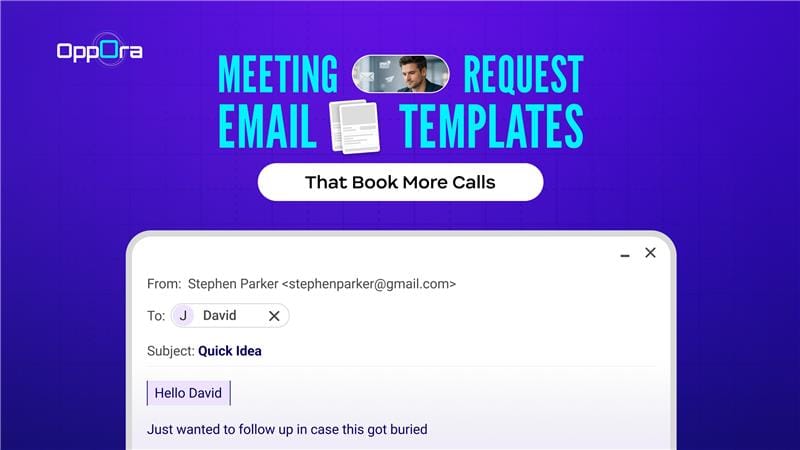
Hi [First Name], Just wanted to follow up in case this got buried.
Would it make sense to explore this in a short 10–15 min call?
Happy to work around your schedule.
👉 Keep it short — follow-ups drive a significant portion of replies.
5. Event-Based Meeting Request
Subject: Great meeting you at [Event Name]
Hi [First Name], It was great connecting at [event].
You mentioned [specific challenge] — I had a few ideas that might help.
Would you be open to a quick chat this week?
6. Demo Request Template
Subject: Showing how [result] works
Hi [First Name], We’ve built a system that helps teams [specific outcome].
Happy to walk you through it in a quick 20-minute demo.
Would Wednesday or Thursday work?
7. Problem-Solution Template
Subject: Reducing [problem] at [Company Name]
Hi [First Name], Many teams we work with struggle with [problem].
We recently helped one reduce it by [result].
Would you be open to a quick discussion to see if this applies to you?
8. Straightforward Professional Request
Subject: Meeting request: [Topic]
Hi [First Name], I’d like to schedule a brief meeting to discuss [specific topic].
Please let me know a convenient time, or I can share options.
9. Partnership Request
Subject: Potential collaboration
Hi [First Name], I came across your work on [topic] — impressive.
I believe there’s potential for collaboration between our teams.
Would you be open to a short call to explore this?
10. Internal Meeting Request
Subject: Team sync on [Project]
Hi Team, Let’s schedule a quick meeting to align on [project/topic].
Proposed agenda:
- [Point 1]
- [Point 2]
Let me know your availability.
11. Breakup Email (Last Attempt)
Subject: Should I close this?
Hi [First Name], I haven’t heard back, so I’ll assume this isn’t a priority right now.
If it is, happy to reconnect — just let me know.
👉 Surprisingly effective due to reverse psychology.
12. Hyper-Personalized High-Ticket Template
Subject: Idea for [specific initiative]
Hi [First Name], I saw your recent [achievement/news].
Had a quick idea on how you could [specific improvement].
Worth a quick 10-minute discussion?
How to Scale These Templates (Without Losing Personalization)
This is where most teams struggle.
At small scale:
- You research each prospect
- Personalize every email
- Carefully follow up
But as volume grows: 👉 Personalization drops 👉 Messages become generic 👉 Performance declines
So the real challenge isn’t sending more emails.
It’s maintaining relevance at scale.
The Right Way to Think About Scaling
Scaling isn’t about blasting.
It’s about building a repeatable system that still feels personal.
Here’s how:
1. Segment Before You Personalize
Instead of writing one email for everyone:
Break your audience into:
- Industry (SaaS, healthcare, fintech)
- Role (Founder, SDR, Head of Sales)
- Pain point (lead generation, conversions, retention)
Then create micro-targeted templates.
👉 This alone can significantly improve reply rates.
2. Use “Structured Personalization”
You don’t need to rewrite every email.
Instead, personalize key parts:
- First line (based on company/activity)
- Pain point (role-specific)
- Outcome (industry-specific)
Example structure:
- Line 1 → Personal insight
- Line 2 → Relevant problem
- Line 3 → Proven result
This keeps emails scalable and human.
3. Build Sequences, Not One-Off Emails
Most replies don’t come from the first email.
A strong sequence includes:
- Email 1 → Value introduction
- Email 2 → Follow-up with angle shift
- Email 3 → Social proof
- Email 4 → Breakup email
👉 Consistency drives conversions.
4. Test and Iterate Constantly
What works today may not work tomorrow.
Track:
- Open rates (subject lines)
- Reply rates (message quality)
- Booking rates (CTA effectiveness)
Then improve:
- One variable at a time
- Across multiple campaigns
The Real Bottleneck
Even with the right strategy, execution becomes hard:
- Personalizing at scale takes time
- Managing sequences manually is inefficient
- Tracking performance across campaigns is messy
That’s where most teams plateau.
Turning Templates Into a Meeting-Booking System (With Oppora.ai)
Templates give you a starting point.
But results come from consistent execution + optimization.
This is where the Oppora.ai tool is useful to your workflow.
Oppora.ai is an AI-powered sales outreach platform that helps teams personalize, automate, and optimize email campaigns to generate more meetings.
1. Personalization Without Manual Effort
Normally, you would:
- Research each person
- Write a custom email
- Adjust the message every time
This takes a lot of time.
With Oppora:
- It uses your prospect’s data to adjust the message
- It changes the wording based on their role or industry
- It keeps emails relevant without you rewriting everything
👉 So your emails still feel personal, but you don’t have to do all the work.
2. Smart Sequences That Actually Convert
Rather than sending random follow-ups:
Oppora structures:
- Multi-step outreach flows
- Context-aware follow-ups
- Timing based on engagement
👉 This ensures no opportunity is missed.
3. Continuous Optimization (What Most Teams Lack)
Most people don’t know:
- Which emails are getting replies
- Which messages are working best
Oppora shows you:
- Which emails people respond to
- Which subject lines perform better
- Which audience converts more
👉 This helps you improve your emails step by step.
4. From Emails to Pipeline
Sending emails is not the goal — booking meetings is.
Oppora helps you:
- Get more replies
- Turn those replies into meetings
- Build a steady flow of opportunities
👉 So instead of just sending emails, you start getting real results.
Pro Tips to Increase Meeting Booking Rates
Even small tweaks can significantly improve your results:
- Lower the ask → Request 10–15 minutes instead of 30 to reduce friction
- Focus on them, not you → Talk about their problem and outcome, not your product
- Be specific → Clear results (e.g., “increase replies by 30%”) build trust
- Time it right → Send during weekday mornings or early afternoons
- Follow up smartly → 2–3 follow-ups with different angles work best
- Keep CTA simple → One clear ask like “Worth a quick 15-min chat?”
- Match your tone → Align with the recipient (founder vs enterprise vs marketer)
👉 The goal is simple: make it easy, relevant, and worth replying to.
Final Conclusion
Meeting request emails don’t fail because you lack templates — they fail because of how they’re used.
The difference between ignored emails and booked calls comes down to three things: 👉 Relevance 👉 Clarity 👉 Ease of response
When you lead with value, keep your ask simple, and make it easy for the recipient to reply, your emails stop feeling like interruptions — and start becoming opportunities.
But writing good emails is only half the equation.
The real advantage comes when you can consistently execute, personalize, and optimize at scale.
That’s where tools like Oppora.ai give you an edge — helping you turn proven templates into a repeatable, data-driven system that actually books meetings.
Because at the end of the day, it’s not about sending more emails.
👉 It’s about sending the right emails, to the right people, at the right time — and doing it consistently.
Frequently Asked Questions
1. Should I include a calendar link in my first meeting request email?
Not always. Offering specific time slots often performs better initially, as it feels more personal and less automated.
2. What’s the ideal length of a meeting request email?
50–125 words works best. Short emails respect time and increase reply rates.
3. Should I always ask for a meeting in the first email?
Not necessarily. In cold outreach, starting with a soft question can increase reply rates and lead to better conversions later.
4. How many follow-ups should I send before stopping?
Typically 2–4 follow-ups over 1–2 weeks is optimal. Beyond that, diminishing returns kick in.