What Are Impressions on LinkedIn and How Is Impression Count Calculated?
LinkedIn impressions show how often your content appears, but numbers alone don’t guarantee results. Learn to track impressions and use Oppora.ai to turn visibility into real leads and connections.
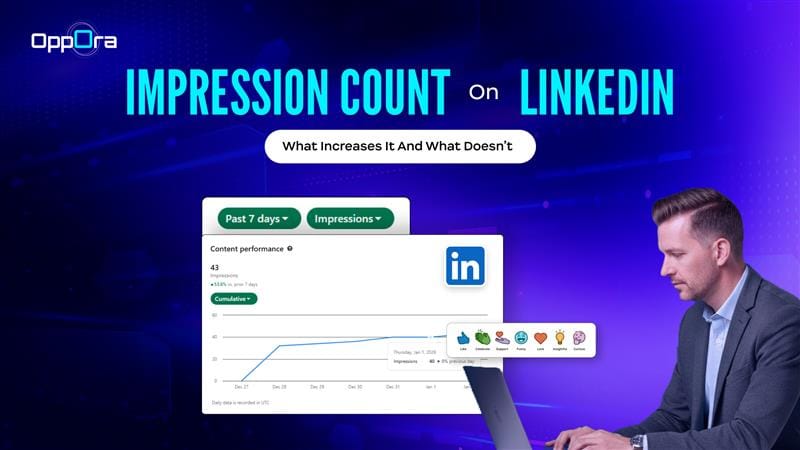
You open LinkedIn, post something thoughtfully written, and within a few hours you see a number climbing.
500 impressions.1,200 impressions.5,000 impressions.
But then comes the confusing part.
No profile visits. No DMs. No leads.
This is where most people pause and ask:
What impressions on LinkedIn really show me? What does impression mean in LinkedIn analytics? And why does high visibility so often lead to zero outcomes?
To understand impression count on LinkedIn, you need to look beyond the number itself and understand how LinkedIn distributes content, who actually sees it, and why impressions alone don’t support actions like outreach or even verifying whether the right companies are noticing you.
This guide breaks it down clearly, without fluff.
What Are Impressions on LinkedIn?
Let’s start with the exact definition.
Impressions on LinkedIn are counted every time your post appears on someone’s screen — even briefly.
That means:
- scrolling past counts
- partial visibility counts
- repeated views by the same person count again
So when users ask “what is an impression on LinkedIn?” or “what does impression mean in LinkedIn?”, the most accurate explanation is:
A LinkedIn impression measures content exposure, not attention or intent.
This distinction is critical — because impressions don’t tell you whether someone visited your profile, checked your company page, or became relevant enough for outreach through a LinkedIn extension or lead scoring workflow.
They are none of those.
Read More: Linkedin Free vs Premium: What do You Actually Get
What Is an Impression Count on LinkedIn & How It’s Calculated
Your impression count on LinkedIn is the total number of times your content is displayed across LinkedIn surfaces such as:
- the home feed
- connections’ feeds
- hashtag feeds
- search results
- activity sections on profiles
LinkedIn does not tell you:
- how long the post was visible
- whether it was read
- whether the viewer matched your target role, company size, or industry
That’s why impression count LinkedIn analytics should be treated as a distribution signal, not a performance metric — especially if your goal involves company enrichment, outbound outreach, or verifying email IDs for follow-ups.
Types of LinkedIn Impressions
Not all impressions on LinkedIn come from the same source — and treating them equally is a mistake.
LinkedIn impressions generally fall into three buckets:
1. Organic impressions
These occur when your post is shown naturally in feeds, search results, or activity sections without paid promotion.
- Usually driven by relevance and early engagement
- Often include second-degree connections
- Most valuable for profile discovery and company-level interest
2. Viral impressions
These happen when your post is reshared or heavily commented on.
- High visibility, low predictability
- Often broad audience exposure
- Difficult to qualify for outreach without enrichment
3. Paid impressions
Generated through sponsored posts or ads.
- Predictable volume
- Clear targeting
- Limited insight into who noticed your profile afterward
Why this matters: Organic and viral impressions may look impressive, but LinkedIn doesn’t tell you which companies or roles were behind them. Without company enrichment or profile-level discovery, these impressions stay anonymous.
This is where teams move beyond counting impressions and start connecting visibility to real accounts and decision-makers.
LinkedIn Metrics You Should Know
Now, let’s discuss about types
A Simple Example: Why Impressions Can Be Misleading
Let’s look at two LinkedIn posts.
Post A
- 8,000 impressions
- Mostly repeated exposure to the same broad audience
- Low unique impressions
- Very few post views
- No profile visits
- Zero inbound messages
Post B
- 1,200 impressions
- Higher unique impressions from founders and sales leaders
- More post views and profile visits
- Strong role-level relevance
- 3 meaningful conversations
Which post actually performed better?
Even though Post A shows a higher impression count, it fails to convert visibility into attention or action. Post B, with fewer impressions, creates real interest and follow-up opportunities.
This difference exists because:
- Impressions measure appearance
- Unique impressions measure reach
- Views measure intent
When impressions aren’t paired with visibility into who viewed the content — such as company context, role relevance, or verified contact paths — they remain surface-level metrics.
Why This Matters Beyond Analytics
High impression count LinkedIn metrics often create a false sense of success.
Without:
- understanding which companies noticed you
- identifying relevant profiles
- or connecting visibility to outreach workflows
you’re left with numbers, not outcomes.
That’s why impressions work best as early discovery signals, not final performance indicators.
Read More: Is LinkedIn Premium Worth It? Features, Pricing & Real-World Use Cases
How to Track LinkedIn Impressions (Step-by-Step)
Tracking LinkedIn impressions doesn’t require any tools or setup. LinkedIn already shows this data — you just need to know where to look and how to read it correctly.
Track Total Post Impressions from Your Profile
This view helps you understand your overall visibility trend, not individual post performance.
Steps:
- Click your profile icon (Me) in the top navigation.
- Select View Profile.
- Scroll to the Analytics section below your headline.
- Click Show all analytics.
- Open the Post impressions section.
Here, LinkedIn shows:
- total impressions across recent posts
- impression changes over time
- visibility trends rather than post-level detail
This view is useful for spotting growth or decline in distribution, but it won’t explain which post caused the change.
Track Impressions for Individual Posts
If you want to understand what worked and what didn’t, post-level tracking is more useful.
Steps:
- Open your profile.
- Click Activity → Posts.
- You’ll see a list of your recent posts.
- Each post displays its impression count directly underneath.
- Click View analytics on a specific post for deeper details.
This shows:
- impressions
- reactions
- comments
- reposts
While this view reveals engagement, it still does not show who saw the post or whether the impressions came from relevant companies or roles.
How Often LinkedIn Updates Impression Data
One detail many users miss: impressions are time-sensitive.
- Impressions update fastest in the first 24–48 hours
- Growth often slows or stops after that window
- Late engagement rarely restarts distribution
That’s why impression tracking works best when reviewed:
- shortly after posting
- again after 2–3 days
- alongside profile visits or search appearances
How LinkedIn Decides Who Sees Your Post
Now that we understand what impressions on LinkedIn mean, let’s connect that to how LinkedIn distributes content.
Impressions increase when LinkedIn believes your post is relevant to a specific audience.
This relevance is driven by three core signals.
1. Early Engagement Signals (The First Push)
When you publish a post, LinkedIn first shows it to a small group of people from your network.
If that group:
- reacts
- comments
- spends time on the post
LinkedIn expands distribution.
If they ignore it, impressions stop growing.
This is why early interaction matters more than total likes — especially if you later want to identify relevant visitors using a LinkedIn extension or connect discovery with an outreach engine.
2. Relationship Strength (Not Network Size)
A common myth is:
“Bigger network = more impressions”
In reality, LinkedIn prioritizes interaction history.
Your post is more likely to be shown to:
- people who’ve engaged with you before
- profiles you interact with consistently
- second-degree connections who share similar behavior patterns
This explains why some accounts with fewer connections still get strong impression counts — and why understanding who those viewers are matters more than the number itself when planning outreach or company enrichment.
3. Content Relevance Signals
LinkedIn evaluates:
- post topic
- language patterns
- engagement behavior from similar users
Generic or repetitive posts often receive an initial push — then quickly stall.
This is why impressions on LinkedIn metrics can rise fast and then plateau suddenly, without translating into profile visits, lead qualification, or verified contact opportunities.
Read More: LinkedIn Lead Generation Extension
What Increases Impressions on LinkedIn
Once you understand the distribution logic, the growth factors become clearer.
Impressions tend to increase when posts:
- speak to a specific role or pain point
- open with a strong first line
- invite discussion instead of broadcasting statements
- are easy to skim
Formats that often help:
- spaced text posts
- question-led hooks
- native documents and carousels
But format alone doesn’t carry distribution — relevance does, especially if your end goal includes outreach or moving conversations beyond LinkedIn.
What Does Not Increase LinkedIn Impressions (Despite Popular Advice)
This is where many users waste effort.
❌ Hashtag overload Using too many hashtags does not expand reach. LinkedIn uses them mainly for classification, not discovery.
❌ Engagement pods Artificial engagement may spike impressions temporarily, but often limits future distribution and reduces the quality of profiles you could otherwise enrich or reach out to.
❌ Posting daily without strategy Consistency helps recognition, but irrelevant content still underperforms.
❌ Generic AI content LinkedIn increasingly deprioritizes repetitive, low-signal posts — even if they look polished.
Why High Impressions Often Lead to No Results
Here’s the missing connection.
Impressions only tell you that someone saw your content — not who they were or what they did next.
LinkedIn does not show:
- full viewer lists
- visitor intent
- off-platform contact options
So even when impression count LinkedIn numbers look strong, you’re left guessing:
Who noticed this?Was it the right audience?Did anyone consider reaching out?
Without profile-level discovery, company enrichment, or the ability to verify email IDs, impressions lose their value quickly.
Final Takeaway: What Impressions Can (& Can’t) Do for You
Impressions on LinkedIn answer one question well:
“How often did my content appear?”
They do not answer:
- who noticed it
- whether the audience was relevant
- or how to continue the interaction
That’s why high impressions often feel unproductive.
When impressions are combined with profile discovery, company enrichment, verified contact data, and lead scoring, they stop being vanity metrics and start functioning as early discovery signals.
Used correctly, impression count on LinkedIn becomes the first step — not the final result.
Frequently Asked Questions
What is a good number of impressions on LinkedIn?
There’s no one-size-fits-all number. Targeted impressions from the right audience matter more than high volume. Even 800 impressions from decision-makers can outperform 5,000 from a broad audience. Focus on who sees your posts and whether they lead to profile visits or meaningful connections.
Why are LinkedIn impressions important?
LinkedIn impressions show how often your content appears and which topics gain traction. They’re most valuable when tied to action, like spotting interested profiles, companies, or follow-up opportunities.
What are tips to get more impressions on Linkedin?
Getting more LinkedIn impressions is about relevance, not volume. Focus on targeted posts, strong openings, and engaging with relevant profiles. Tools like Oppora.ai turn visibility into action by linking impressions with profile discovery and outreach opportunities.
What affects the quality of LinkedIn impressions?
The quality of impressions depends on who sees your content, not just how many see it. Relevant audiences, early engagement, and interaction history matter most. Posts shown to decision-makers or industry peers are far more valuable than mass visibility. Using Oppora.ai, you can track which impressions come from the right profiles and optimize your content for meaningful reach.
Are LinkedIn impressions different for posts and articles?
Yes. Posts usually get quick, short-term impressions from feeds, while articles gain slower, long-term visibility through shares, search, and external links. Articles often attract a broader professional audience, but posts are better for immediate profile discovery and early engagement.
Do hashtags really increase LinkedIn impressions?
Hashtags help LinkedIn categorize content, but they don’t guarantee massive reach. Overloading posts with hashtags can look spammy and actually reduce distribution. Instead, use 3–5 relevant hashtags that match your target audience’s interests.