14 ChatGPT Prompts for Sales Emails to Personalize Outreach
best chatgpt prompts for sales emails chatgpt prompts for sales email followup sequences
Crafting sales emails that actually get replies can feel like an uphill battle. Generic messages often get ignored, leaving your outreach efforts wasted. That’s where ChatGPT comes in.
By leveraging AI, you can generate personalized, strategic emails at scale without losing a human touch. In this blog, we’ll walk you through 14 actionable ChatGPT prompts for sales emails, showing how to craft messages that engage prospects, spark conversations, and drive results.
Whether you’re sending a first-touch cold email or a follow-up, these prompts make your outreach smarter, more relevant, and easier to execute efficiently.
How ChatGPT Can Help Writing Personalized Emails
Writing emails that feel personal and relevant can be time-consuming, especially when reaching out to multiple prospects. ChatGPT can streamline this process, helping you craft messages that grab attention, resonate, and drive responses.
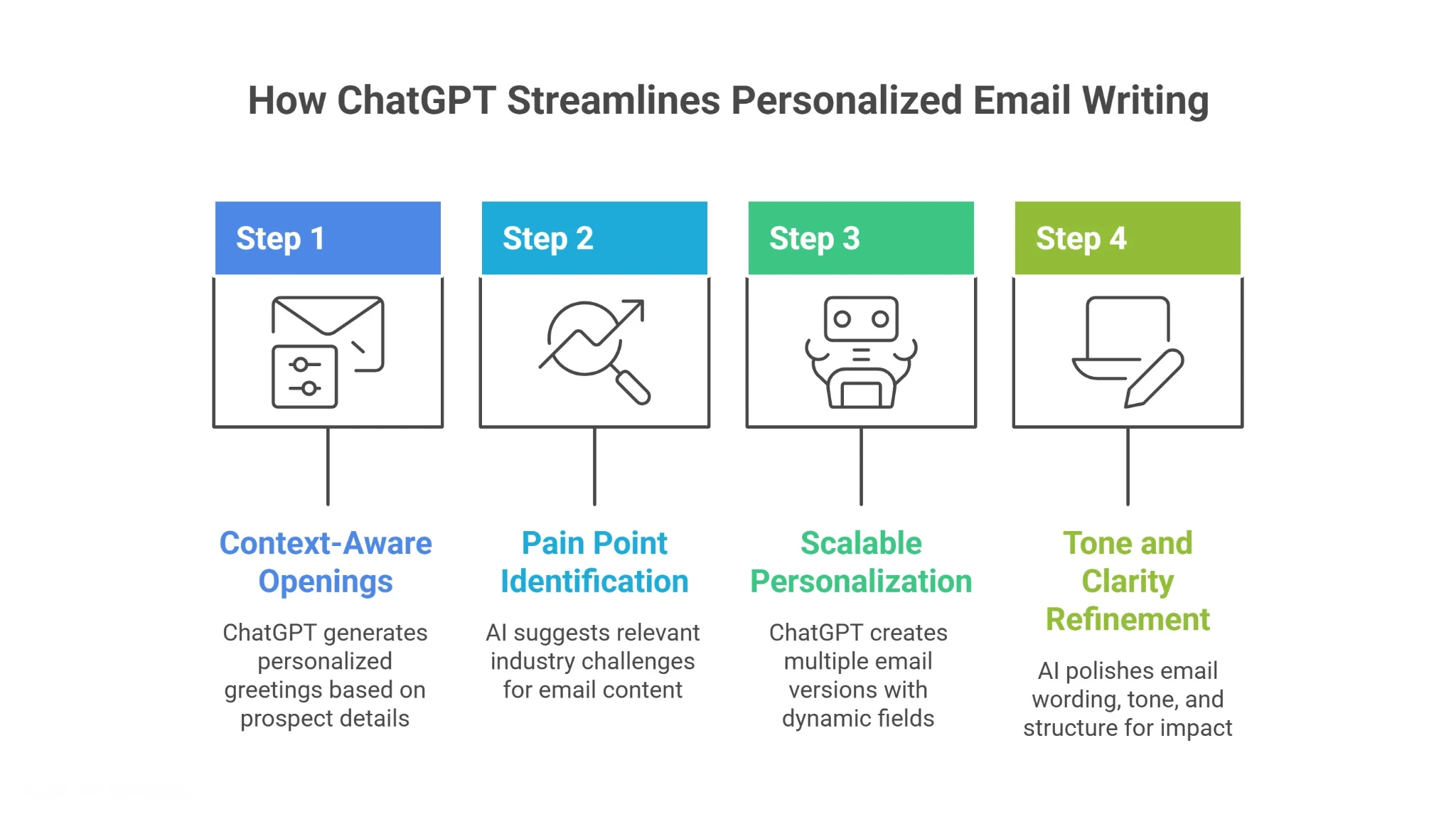
Craft Context-Aware Openings
The first few lines of an email set the tone. ChatGPT can generate openings tailored to a prospect’s company, role, or recent activity. By referencing specific details like a recent announcement or project it immediately signals relevance. This context-aware approach prevents generic greetings and helps your email stand out in crowded inboxes.
Highlight Pain Points Strategically
Understanding your prospect’s challenges is key to engagement. ChatGPT can suggest common industry pain points or issues based on public data. Including these strategically demonstrates that you’ve done your homework, showing empathy and insight. This increases the likelihood the recipient will read, connect with, and respond to your email.
Personalize at Scale Without Losing Human Touch
Personalization is powerful, but scaling it is tough. With ChatGPT, you can generate multiple versions of your email using dynamic fields like {{first_name}} or {{company}}. Each message retains a human touch while allowing outreach to large lists. You save time without sacrificing the sense that each email is crafted for the individual recipient.
Refine Tone and Clarity Quickly
ChatGPT can also polish your emails for clarity, tone, and impact. It suggests concise wording, friendly phrasing, and persuasive structures. By combining AI refinements with your own insights, every email feels authentic, professional, and engaging, giving you the confidence that your outreach will resonate.
This approach not only boosts efficiency but also ensures every message you send is relevant, thoughtful, and optimized for response.
How to Write Effective ChatGPT Prompts for Sales Emails
The quality of AI-generated sales emails depends largely on the prompts you provide. Strong prompts ensure that the output is relevant, human-like, and aligned with your outreach goals. Including the right context and details gives ChatGPT the guidance it needs to craft effective messages.
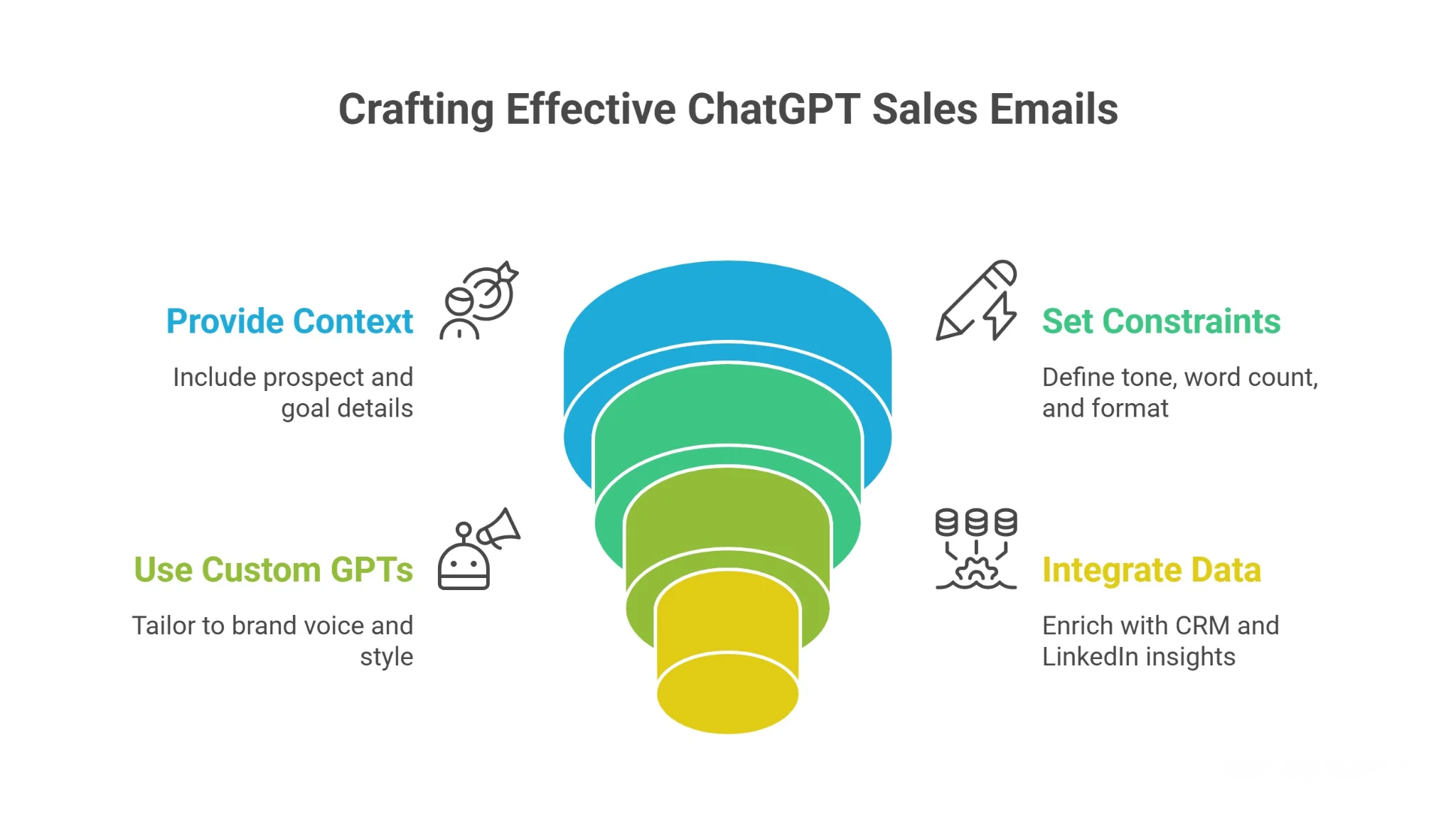
Context + role + goal = great output
Start by providing clear context about your prospect, your role, and the goal of the email. Mention the industry, company, or recent activities of the prospect, and specify whether your email aims to introduce a solution, schedule a meeting, or follow up. This ensures that AI-generated content is targeted, persuasive, and resonates with the recipient.
Clear constraints prevent generic results
Adding constraints like tone, word count, and format keeps emails concise, readable, and professional. Specify if the email should be friendly, formal, or consultative. Constraints prevent vague or generic messaging and help ChatGPT produce emails that feel tailored to each prospect, maintaining a human touch while saving time and effort across outreach campaigns.
Leverage Custom GPTs for Niche Personalization
Custom GPTs let you tailor AI outputs to your brand voice, industry terminology, and sales style. By training or configuring a model for your specific audience, you ensure every email reflects your company’s tone and maintains consistency, making outreach feel genuinely personalized.
Integrate Data Sources for Deeper Insights
Incorporating CRM data, LinkedIn activity, and public information into your prompts enriches AI-generated emails. These insights allow ChatGPT to craft messages that reference real prospect details, making emails highly relevant, actionable, and more likely to resonate with your audience.
14 ChatGPT Prompts for Sales Emails
Crafting personalized outreach is easier with the right ChatGPT prompts. These 14 tested prompts cover everything from first-touch emails to multistage follow-ups, helping you engage prospects with relevance and clarity. Each prompt is designed to guide AI in producing human-feel, contextually aware messages that spark responses. By using these prompts strategically, you can scale your email campaigns, maintain personalization, and ensure that every message aligns with your prospect’s needs, industry context, and your overall sales goals.
Prompt 1 — Trigger-Based Cold Email
Prompt:
"Here is the trigger-based prospect context:"
Company update/trigger event: {paste} Prospect role: {paste} Your solution: {paste}
Write a short cold email that:
- Connects the trigger event to a relevant problem or opportunity
- Shows clear understanding of the prospect’s situation
- Naturally introduces our solution without sounding pushy
Keep it under 120 words, personalize the opening, and end with a soft CTA.
Data Sources: Company news, LinkedIn updates, Crunchbase
Prompt 2 — Call Transcript Personalization
Prompt:
"Here is the call-based prospect context:"
Call transcript: {paste} Key product/service: {paste}
Extract key pain points, priorities, and tone from the conversation.
Write a follow-up email that:
- Mirrors the prospect’s language and communication style
- References specific points they mentioned
- Feels like a continuation of the call, not a new pitch
Data Sources: Call recordings, transcripts (Zoom, Gong)
Prompt 3 — CRM Context Email Builder
Prompt:
"Here is the CRM-driven prospect context:"
CRM notes: {paste} Previous interactions: {paste} Deal stage: {paste}
Write a personalized email that:
- Continues the conversation without repeating past messages
- Reflects the prospect’s previous interest or intent
- Suggests a clear and logical next step
Data Sources: CRM (HubSpot, Salesforce), email history
Prompt 4 — Website Language Mirror Prompt
Prompt:
"Here is the website-based prospect context:"
Website URL: {paste} Target persona: {paste}
Analyze tone, messaging, and positioning from the website.
Write an email that:
- Uses similar language and phrasing
- Feels aligned with how the company communicates
- Makes the message feel familiar and relevant
Data Sources: Website, landing pages, About section
Prompt 5 — Podcast / Content Insight Email
Prompt:
"Here is the content-based prospect context:"
Podcast/blog transcript: {paste} Key takeaway: {paste or extract}
Write a personalized email that:
- References one insight naturally (not forced)
- Shows genuine understanding of their perspective
- Connects that insight to a relevant problem we solve
Data Sources: Podcasts, blogs, YouTube transcripts
Prompt 6 — Rewrite & Tone Optimization Prompt
Prompt:
"Here is the email draft for optimization:"
Draft email: {paste}
Rewrite this email to:
- Sound more human and conversational
- Remove jargon, fluff, and unnecessary complexity
- Improve clarity while keeping the original intent
Keep it under 100 words.
Data Sources: Existing drafts, templates
Prompt 7 — Bulk Personalization Prompt (Sheets Workflow)
Prompt:
"Here is the lead dataset for personalization:"
Name: {column} Company: {column} Role: {column} Industry: {column}
Generate personalized email variations for each row that:
- Feel unique and not templated
- Reflect the role and industry context
- Stay relevant even at scale
Keep each email under 120 words.
Data Sources: Google Sheets, CSV lead lists
Prompt 8 — Competitor Trigger Email
Prompt:
"Here is the competitor-based prospect context:"
Competitor case study: {paste} Prospect company: {paste} Problem solved: {paste}
Write an email that:
- Shows how a similar company solved this problem
- Highlights the outcome briefly
- Connects it to the prospect’s situation without sounding salesy
Data Sources: Case studies, G2 reviews, competitor sites
Prompt 9 — Objection-Based Follow-Up
Prompt:
"Here is the objection-based prospect context:"
Objection: {paste} Previous email: {paste}
Write a short follow-up that:
- Addresses the objection clearly and calmly
- Reframes the value without being defensive
- Suggests a low-effort next step
Data Sources: Call notes, objection logs, CRM
Prompt 10 — Industry Pain Mapping Email
Prompt:
"Here is the industry-targeting context:"
Role: {paste} Industry: {paste}
Identify the top 3 current challenges based on trends.
Write an email that:
- Focuses on one key pain point
- Shows understanding of the role’s priorities
- Connects it to a clear outcome
Data Sources: LinkedIn posts, Reddit, industry reports
Prompt 11 — Sequence Refinement Prompt
Prompt:
"Here is the email sequence for optimization:"
Email 1–5: {paste}
Improve the sequence by:
- Removing repetition across emails
- Adding new value in each step
- Creating a logical progression from first touch to final follow-up
Data Sources: Existing sequences, campaign data
Prompt 12 — Pre-Call Insight Email
Prompt:
"Here is the pre-call company context:"
Website / LinkedIn: {paste} Recent updates: {paste}
Summarize what they do and identify one relevant outreach angle.
Write a short email that:
- Reflects preparation and understanding
- Uses that angle to start a meaningful conversation
Data Sources: Company pages, LinkedIn, news
Prompt 13 — Simple Human Email Generator
Prompt:
"Here is the basic prospect context:"
Name: {paste} Company: {paste} Offer: {paste}
Write a 3–4 line email that:
- Uses simple, natural language
- Clearly communicates value
- Includes one clear question as CTA
Data Sources: Basic lead info
Prompt 14 — Breakup / Closing Loop Email
Prompt:
"Here is the email history context:"
Previous emails: {paste}Time since last reply: {paste}
Write a polite closing email that:
- Acknowledges no response
- Keeps the tone respectful and non-pushy
- Leaves the door open for future conversation
Data Sources: Email history, CRM timeline
Best Practices for Prompting & Testing
Even the best ChatGPT prompts require ongoing testing and refinement to achieve high-performing sales emails.
Following best practices ensures your outreach stays relevant, human, and effective.
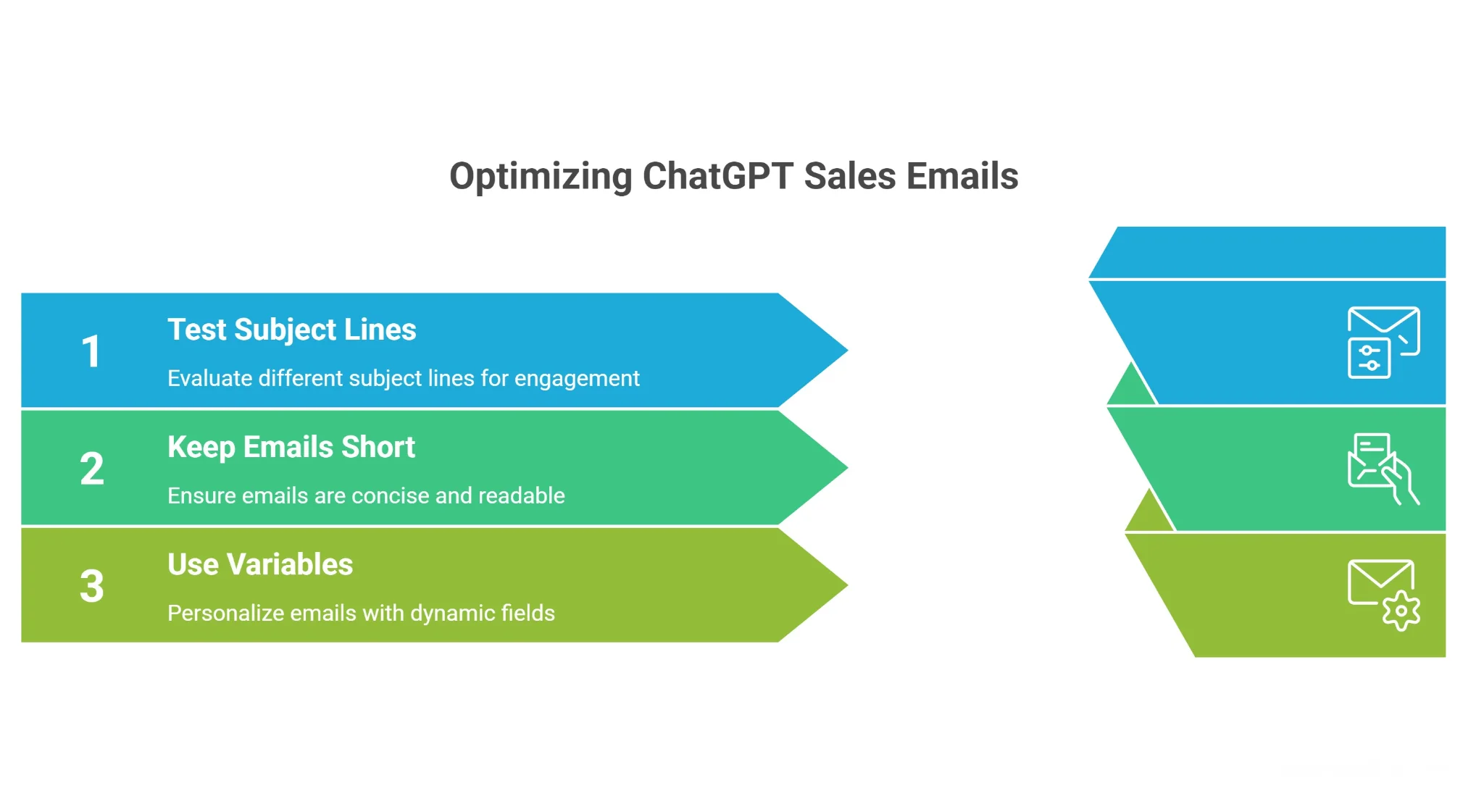
Test subject lines
Subject lines are the first impression of your email and heavily influence open rates. Generate multiple options using ChatGPT, then A/B test them with your audience.
Track metrics like opens, clicks, and responses to determine which style, tone, or phrasing resonates best. Iterative testing helps you uncover patterns that increase engagement over time.
Keep emails short and human
Prospects often skim emails quickly, so brevity is essential. AI-generated emails should be concise, readable, and approachable.
Use simple language, short sentences, and clear calls to action. Keeping emails human ensures they feel authentic, increasing the likelihood that recipients will read and respond.
Use variables/badging to automate insights
Dynamic fields like {{first_name}}, {{company}}, or {{industry}} allow AI to generate personalized emails at scale. Badging can highlight key insights or trigger specific messaging based on prospect behavior or profile details.
This approach maintains relevance, automates personalization, and ensures every email feels tailored, even when reaching hundreds of prospects efficiently.
Following these best practices helps you maximize the impact of ChatGPT prompts while maintaining a human touch in automated sales outreach.
Automate Entire Sales Outreach Cycle Using Oppora AI
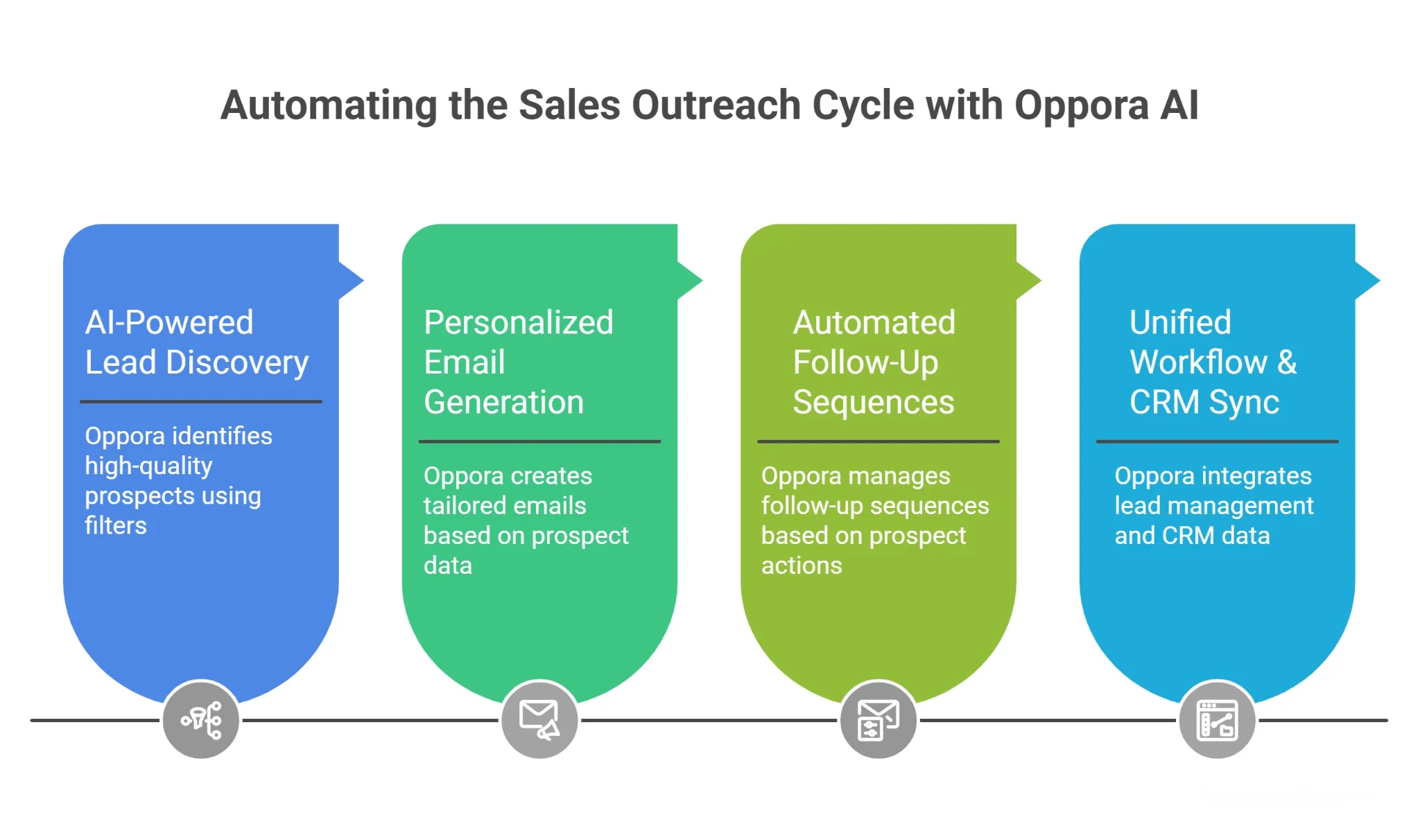
Once you have strong ChatGPT prompts in place, the next step is execution. This is where most teams struggle. Managing leads, writing emails, and handling follow-ups manually quickly becomes overwhelming.
That’s where Oppora AI connects everything into one seamless workflow.
AI-Powered Lead Discovery
Your outreach is only as good as your targeting. Oppora helps you find high-quality prospects using advanced filters like industry, role, company size, and intent signals.
Instead of working with broad lists, you start with leads that actually match your ideal customer profile. This makes every email more relevant from the beginning.
Personalized Email Generation
With the right data in place, Oppora generates emails tailored to each prospect. It uses context like company activity, role, and behavior to create messages that feel human.
You’re no longer rewriting templates every week. Each email is uniquely generated, helping you avoid repetition and improving engagement across campaigns.
Automated Follow-Up Sequences
Follow-ups are where most conversions happen, but they’re often inconsistent. Oppora lets you build multi-step sequences that run automatically based on prospect actions.
Whether someone opens, clicks, or ignores your email, the system adjusts the next step. This keeps your outreach consistent without requiring manual effort.
Unified Workflow & CRM Sync
Instead of juggling multiple tools, Oppora brings everything into one place. You can manage leads, track conversations, and monitor performance without switching platforms.
All data syncs directly with your CRM, so nothing gets lost. This creates a clean, organized system where your entire outreach process runs smoothly from start to finish.
Conclusion
Using ChatGPT prompts for sales emails allows you to scale personalized, strategic outreach while keeping your messages human and relevant. From first-touch emails to multi-stage follow-ups, clear prompts and thoughtful testing ensure higher engagement and better responses.
Pairing AI with a platform like Oppora.ai takes this a step further, automating lead discovery, sequence management, and personalization without losing the human touch. By integrating AI-driven prompts with Oppora’s workflow, you can streamline your outreach, save time, and consistently connect with the right prospects. Start optimizing your email strategy with Oppora today.
Frequently Asked Questions (FAQs)
How do I ensure my ChatGPT-generated emails comply with GDPR and other privacy regulations?
Always avoid including sensitive personal data. Use verified business emails, anonymized examples for testing, and ensure any collected data comes from legitimate sources. This keeps your AI-driven outreach compliant with privacy laws.
Can ChatGPT help identify the best time to send sales emails?
While ChatGPT can suggest sending times based on general engagement patterns, pairing AI insights with your email platform’s analytics provides more accurate timing for your specific audience.
How can I measure the effectiveness of individual ChatGPT prompts?
Track metrics like open rates, click-throughs, and replies for emails generated from each prompt. Compare performance across campaigns to identify which prompts drive the highest engagement.
Is it possible to customize ChatGPT prompts for different buyer personas?
Yes. Include persona-specific context in prompts, such as role, industry, and typical pain points. Tailored prompts help AI generate highly relevant, persuasive emails for each target audience.
Can ChatGPT help improve existing sales email templates?
Absolutely. Provide your current templates to ChatGPT with instructions for refinement, personalization, or tone adjustments. This ensures templates remain effective and feel human without rewriting from scratch.