Email Typos: How to Fix Mistakes Without Looking Unprofessional
You send an email, move on to your next task… and then it hits you.
There’s a typo in email.
Maybe it’s a small spelling mistake. Maybe you wrote the wrong name. Or worse, you spotted it right after sending an important pitch or client message.
That tiny error suddenly feels much bigger than it actually is.
Now you’re stuck wondering — should you send a correction, ignore it, or send another “sorry for the typo mail” and risk sounding awkward?
The good news is, most email typos aren’t as damaging as they feel. What really matters is how you handle them after.
In this guide, you’ll learn:
- When a typo in email actually needs fixing
- What to do right after sending a typo mail
- How to correct mistakes without sounding unprofessional
- Simple ways to avoid email typos in the first place
Let’s start by understanding why these small mistakes feel like a big deal.
Why Email Typos Feel Like a Bigger Deal Than They Are
When you notice a typo in email, it instantly feels like a big mistake.
You assume the other person caught it and is judging your professionalism. But in reality, most people don’t read emails that closely. They’re scanning for meaning, not minor errors.
What feels obvious to you often goes unnoticed to them.
The pressure mainly comes from your own expectations, not the reader’s reaction.
That said, not every typo mail should be ignored. Some mistakes can affect clarity or tone.
So the real focus isn’t perfection.
It’s knowing which typos matter and handling them calmly when they do.
Types of Email Typos (And Which Ones You Must Fix)
Now that you know typos aren’t always a big deal, the next step is knowing which ones actually matter.
Because not every typo in email needs a follow-up.
Some can be ignored without any impact, while others can affect clarity, tone, or even your credibility. The key is to quickly judge the situation instead of reacting emotionally.
Here’s how to think about different types of typo mail mistakes.
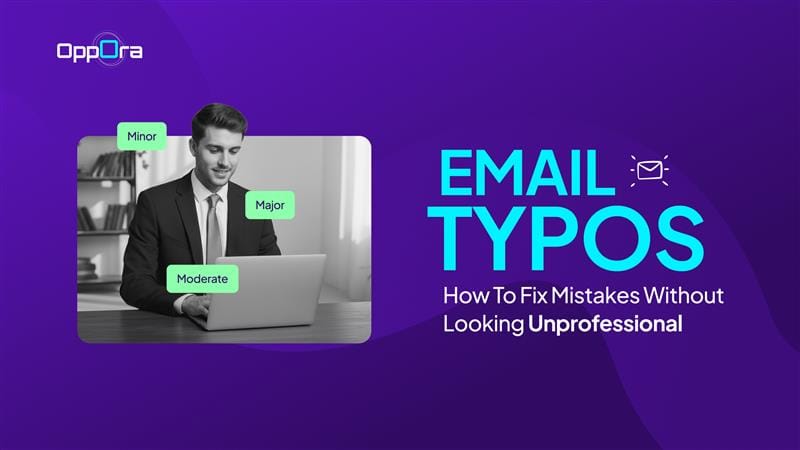
1. Minor Typos (Usually Safe to Ignore)
These are small mistakes that don’t change the meaning of your message.
Think of slight spelling errors, missing punctuation, or an extra word.
Most readers won’t even notice them, and even if they do, they won’t care. Sending a correction for these can actually draw unnecessary attention.
If the message is still clear, it’s better to leave it as is.
2. Moderate Typos (Fix If Important Context Is Affected)
These typos don’t completely break your message, but they can create confusion.
This includes wrong word usage, unclear phrasing, or slightly misleading sentences.
In this case, ask yourself one simple question — could this be misunderstood?
If yes, sending a quick clarification helps avoid back-and-forth later. Keep it short and focused on fixing the confusion, not the mistake itself.
3. Major Typos (Always Fix Immediately)
These are the ones you shouldn’t ignore.
Mistakes like using the wrong name, incorrect numbers, broken links, or missing attachments can directly impact your credibility.
They can also lead to misunderstandings or missed opportunities.
In these situations, sending a quick correction email is the right move. A clear and confident fix looks far more professional than pretending it didn’t happen.
What to Do Immediately After Sending a Typo Mail
The moment you notice a typo mail, your first reaction is usually panic.
You might feel the urge to send a correction immediately, but rushing often makes the situation worse than the typo in email itself.
Instead, pause and quickly review your email with a clear mind. Look at it from the reader’s perspective, not your own.
Ask yourself:
- Does this typo change the meaning of the message?
- Can the reader still understand everything clearly?
- Is it something they’re even likely to notice?
If the answer is no, you can safely ignore it.
But if the mistake affects clarity, tone, or key details, then it’s worth fixing with a quick follow-up.
The goal isn’t to react instantly.
It’s to respond thoughtfully so you don’t turn a small mistake into a bigger one.
How to Fix a Typo in Email Professionally
Once you decide a typo in email needs fixing, the next step is how you handle it.
This is where most people go wrong.
They over-apologize, over-explain, or make the correction feel bigger than the actual mistake. Instead, your goal should be simple — fix it clearly and move on.
Here are the right ways to handle a typo mail professionally.
Option 1: Send a Quick Correction Email
This works best when the mistake affects clarity or includes incorrect details.
Keep it short and direct without making it a big deal.
- Mention the correction clearly
- Avoid long explanations
- Skip unnecessary apologies
Example:
“Quick correction — the correct meeting time is 3 PM, not 2 PM.”
That’s it. Clean and professional.
Suggested Reading:
Cold Email AI Tools Compared for Faster OutreachOption 2: Reply in the Same Thread
If the conversation is ongoing, replying in the same thread feels more natural.
It keeps everything in one place and avoids cluttering the inbox with a new subject line.
- Use this for small corrections
- Keep the tone casual but clear
- Don’t repeat the entire email
This approach works well when context already exists.
Option 3: Ignore It (When Appropriate)
Not every typo mail needs a correction.
If the mistake doesn’t affect understanding, it’s often better to leave it.
- Small spelling errors
- Minor grammar slips
- Typos that don’t change meaning
In many cases, sending a correction only highlights something the reader may have never noticed.
Sometimes, doing nothing is the most professional move.
Professional Templates to Fix a Typo Email
Once you decide to fix a typo mail, the hardest part is usually figuring out what to say.
Most people either over-apologize or over-explain, which makes the typo in email feel bigger than it actually is. But in reality, you don’t need a long message to fix a small mistake.
A short, clear correction is always more professional.
Think of it this way — your goal is not to highlight the mistake.
Your goal is to correct it smoothly and move the conversation forward.
Here are practical templates you can use in different situations.
1. Simple Correction
Use this when the typo is minor but still worth correcting.
Keep it direct and avoid unnecessary context.
“Quick correction — I meant to say [correct word/sentence].”
This works well because it doesn’t overcomplicate things. You acknowledge the typo in email and fix it in one line.
2. Correction with Clarification
Use this when the mistake could cause confusion or misinterpretation.
Here, clarity matters more than brevity.
“Just to clarify, the correct detail is [updated information]. Apologies for the confusion.”
This type of typo mail is common when numbers, dates, or instructions are involved.
You’re not just correcting — you’re making sure the reader doesn’t act on the wrong information.
3. Wrong Attachment or Link
This is one of the most common email mistakes.
And it’s also one you should always fix quickly.
“Apologies — attaching the correct file here. Please ignore the previous version.”
You don’t need to explain how the mistake happened. Just send the right version and move on.
4. Wrong Name or Personal Detail
This is a more sensitive typo in email because it affects professionalism.
It’s worth correcting immediately, but still without overdoing it.
“Apologies for the earlier message — I meant to address you as [correct name].”
Keep it respectful and concise. A simple correction is enough to restore trust.
5. Slightly Formal Version (Client or External Emails)
When you’re communicating with clients or stakeholders, tone matters a bit more.
You still want to keep it short, but slightly more polished.
“Apologies for the earlier typo. Please note the corrected detail: [insert correction].”
This keeps things professional without sounding robotic or overly formal.
6. When You Want to Keep It Very Casual
In ongoing conversations, especially with colleagues, you can keep it even lighter.
“Correction — [updated detail].”
No apology needed if the typo mail is small and harmless.
The key across all these templates is consistency.
Don’t over-apologize, don’t write long explanations, and don’t send multiple follow-ups for the same typo in email.
A clear, confident correction always looks more professional than trying too hard to fix a small mistake.
Suggested Reading:
Follow-Up Email Templates for Sales, Networking, and No ResponseHow to Avoid Typo in Email (Before Hitting Send)
Fixing a typo mail is manageable.
But avoiding a typo in email altogether saves you time, stress, and unnecessary follow-ups.
The good news is, you don’t need complicated systems to reduce mistakes. A few simple habits can make a big difference in how your emails come across.
Start with this.
Pause before hitting send.
Even a 30-second break helps you spot errors your brain skipped while writing.
Then review your email with intention, not speed.
Here are a few practical ways to reduce typos:
- Read your email once like a sender, then once like a reader
- Check names, numbers, links, and attachments separately
- Read the email out loud to catch awkward phrasing
- Avoid writing important emails in a rush
- Use delayed sending when the email really matters
These small steps help, but they can still break when you’re sending emails at scale.
That’s where systems become more reliable than habits.
How Oppora Helps You Avoid Email Mistakes Entirely
When you’re sending multiple emails daily, manual proofreading doesn’t always scale.
You end up rushing, repeating messages, or missing small details that turn into typo mail situations.
Oppora approaches this differently.
Instead of you writing every email from scratch, it uses AI to generate personalized emails that are context-aware and structured properly from the start.
That means:
- Each email is uniquely generated, not copied or reused
- No dependency on spintext or repetitive templates
- Reduced chances of human error while writing
- Consistent tone and clarity across all emails
It also goes beyond just writing.
Oppora can handle replies, follow-ups, and outreach workflows automatically, so you’re not constantly switching between writing, checking, and correcting emails .
The result is simple.
Fewer mistakes, better communication, and less time spent worrying about whether you made a typo in email.
Because the best way to fix email mistakes is to prevent them from happening in the first place.
Final Thoughts
Email typos happen more often than you think.
Even experienced professionals send a typo mail at some point, so it’s not something that defines your credibility.
What actually matters is how you handle it.
If the typo in email is minor, you can move on without overthinking it. If it affects clarity or professionalism, a quick and simple correction is all you need.
No long apologies. No over-explaining.
Just fix it and continue the conversation.
Over time, you’ll realize something important.
People don’t remember small mistakes.
They remember clear communication, confidence, and how easy you are to work with.
So instead of aiming for perfection, focus on being clear and intentional.
That’s what truly makes your emails feel professional.
Frequently Asked Questions
1. Should you correct a typo in email after a long delay?
If you notice a typo hours later, only correct it if it affects meaning.
For small mistakes, sending a late typo mail correction can feel unnecessary and draw attention to something already forgotten.
2. Is it better to resend the entire email or just send a correction?
Always send a correction instead of resending the full email.
Resending can feel repetitive and clutter the recipient’s inbox.
3. Should you mention the word “typo” in your correction email?
Not always.
You can simply correct the information without highlighting the mistake. Keeping it subtle often looks more professional.
4. Can too many typo mails hurt your professional image?
Yes, if it becomes a pattern.
One typo in email is normal, but frequent mistakes can signal lack of attention to detail over time.