20 LinkedIn Cold Message Templates for Better Outreach
Writing the right first LinkedIn message is often the difference between being ignored and starting a real conversation. These 20 LinkedIn cold message templates for better outreach will help you send shorter, more relevant messages that improve acceptance, replies, and meeting rates.
In this guide, you’ll discover:
- 20 proven templates by use case
- when to use each one
- tips to improve response rates
Best Practices for Cold Messaging on LinkedIn at Scale
Once you have strong templates, the next challenge is making them work consistently across larger prospect lists. This is where most teams struggle. Scaling cold messaging LinkedIn efforts is not about sending more messages.
it is about building systems that help every message still feel relevant, timely, and personal.
The right process helps you protect reply rates while increasing volume, so your outreach grows without sounding robotic. Here is how you can do it effectively.
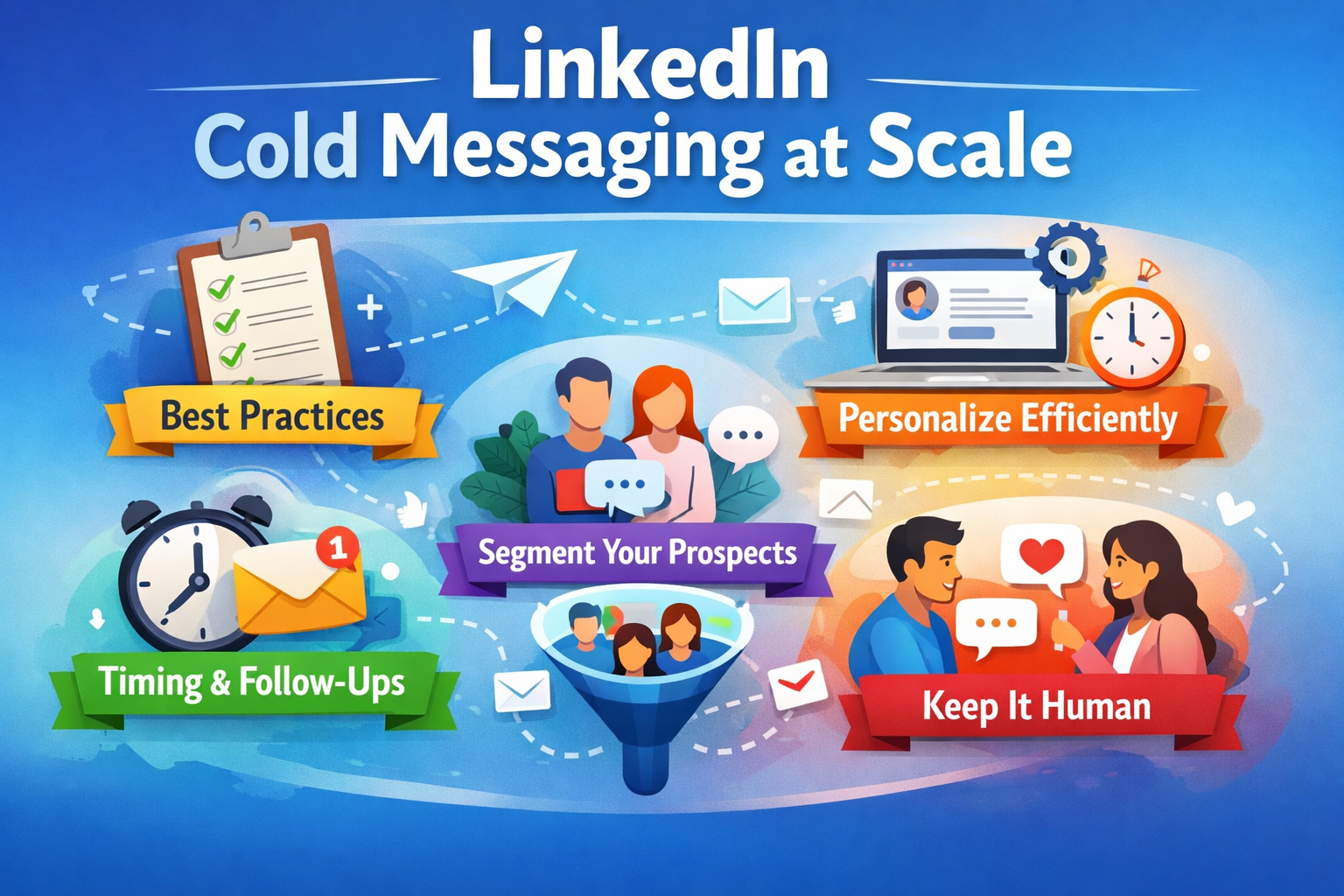
1.Personalization Without Spending 10 Minutes Per Message
Personalization does not require deep manual research. Use repeatable triggers like role, industry, job changes, hiring activity, or recent posts to keep your linkedin cold message template specific.
Simple cues like a hiring update or product launch make outreach feel contextual, authentic, and faster to scale.
2.Timing, Follow-Ups, and CTA Testing
Timing and CTA strength directly impact reply rates. Send your cold LinkedIn message mid-week mornings, follow up after 3–4 days.
Then again in 5–7 days. Test softer CTAs like “Worth exploring?” because small phrasing changes often lead to significantly better responses..
3.Segmenting Prospects Before You Start Cold Messaging on LinkedIn
Better segmentation makes every cold message on LinkedIn more relevant and scalable. Group prospects by role, industry, company size, funding stage, and intent signals.
so each message speaks directly to their priorities, turning one generic campaign into multiple high-conversion conversation tracks.
4.Keep LinkedIn Cold Messaging Human While Scaling
The key to scaling linkedin cold messaging is smarter context layering, not more automation.
Keep the template structure stable while rotating hooks, trigger references, CTAs, and follow-up angles so every message feels fresh, human, and trustworthy without losing efficiency or response quality.
20 LinkedIn Cold Message Templates for Better Outreach
Now that you know how to scale your process without losing authenticity, the next step is using the right message for the right situation. Not every prospect should receive the same opener.
A founder outreach message should sound different from a partnership pitch, hiring note, or follow-up.
That is why this section groups LinkedIn outreach message templates by real use cases, so you can quickly pick what fits your goal instead of rewriting from scratch every time.
You can copy these templates, adapt the hooks, and personalize them for:
- lead generation
- agency outreach
- founder-to-founder networking
- partnerships
- hiring and recruitment
- follow-ups
- re-engagement conversations
The idea is simple: start with a proven framework, then layer your personalization system on top. This helps you move faster while keeping every cold message on LinkedIn relevant, natural, and response-friendly.
Group 1 — First Connection Request Templates (Templates 1–5)
A strong first connection request should create relevance and curiosity, not pitch. These linkedin cold message templates help improve acceptance rates, and each one includes a quick example so you can easily understand how to use it in real outreach.
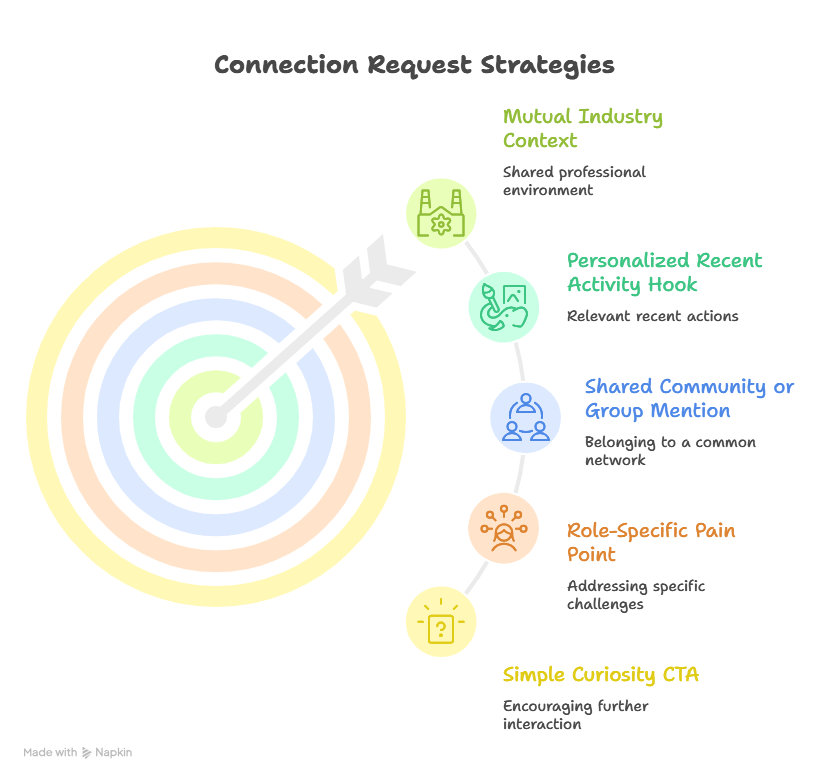
Template 1 — Mutual Industry Context
When you both operate in the same niche, leading with a shared trend or challenge instantly makes the outreach feel relevant. This works especially well for SaaS founders, agencies, and consultants.
Template:
Hi [First Name],
Noticed we both work in [industry/niche]. I have been seeing more teams struggle with [specific trend/problem] lately, and your perspective in this space stood out.
Thought it would be great to connect.
Example:
Hi Sarah,
Noticed we both work in B2B SaaS. I’ve been seeing more teams struggle with outbound personalization at scale lately, and your GTM insights stood out.
Thought it would be great to connect.
Template 2 — Personalized Recent Activity Hook
Referencing something they recently posted, liked, or commented on makes your cold LinkedIn message feel real because it proves your outreach is based on live context.
Template:
Hi [First Name],
Your recent post on [topic] really caught my attention, especially the point about [specific insight]. It aligned with a few conversations I am seeing in this space.
Would love to connect and follow your perspective.
Example:
Hi Alex,
Your recent post on AI SDR workflows caught my attention, especially your point on reply quality over volume. It aligned with a few founder conversations I’m seeing.
Would love to connect.
Template 3 — Shared Community or Group Mention
Shared groups, events, or mutual communities reduce friction because there is already a sense of familiarity. This makes linkedin cold messaging much warmer from the start.
Template:
Hi [First Name],
Saw we are both part of [LinkedIn group/event/community]. I have been meeting great people from that space lately, and your work around [topic] looked interesting.
Sending a connection request.
Example:
Hi Daniel,
saw we are both part of the RevOps Leaders community. I’ve met great operators there, and your work around pipeline automation looked interesting.
Sending a connection request.
Template 4 — Role-Specific Pain Point
Opening with a challenge tied to their role makes the message instantly specific. This is highly effective for founders, HR leaders, RevOps, and growth teams.
Template:
Hi [First Name],
I work with a lot of [job role] leaders, and [specific challenge] keeps coming up in conversations. Saw your background in [company/role] and thought.
It would be great to connect and exchange ideas.
Example:
Hi Priya,
I work with a lot of agency founders, and client acquisition consistency keeps coming up in conversations. Saw your growth role at ScaleFlow and thought.
It would be great to connect.
Template 5 — Simple Curiosity CTA
Sometimes the best opener is simply curiosity. A lightweight ask lowers pressure and makes the connection feel conversational rather than transactional.
Template:
Hi [First Name],
Came across your profile while researching [space/topic] and got curious about your work in [specific area].
Thought it would be great to connect and learn from your perspective.
Example:
Hi James,
Came across your profile while researching outbound teams and got curious about your work in sales enablement.
Thought it would be great to connect and learn from your perspective.
Group 2 — After Connection Acceptance Templates (Templates 6–10)
After a connection is accepted, the goal is to build conversation, not pitch too early. These linkedin cold message templates help you turn acceptance into meaningful replies through relevance, curiosity, and small value-first touchpoints.
Template 6 — Thank You + Insight
A simple thank-you followed by a useful observation works because it immediately gives value before asking for anything.
Template:
Thanks for connecting, [First Name].
I was looking at how [industry/role] teams are handling [specific challenge], and one trend I keep seeing is [insight].
Curious if you are noticing the same on your side.
Example:
Thanks for connecting, Sarah.
I was looking at how SaaS sales teams are handling outbound personalization, and one trend I keep seeing is reply rates improving when teams use trigger-based messaging.
Curious if you’re seeing the same.
Template 7 — Problem Recognition Message
This works well when you already understand the workflow challenges common to their role or company type. It shows empathy before any solution talk.
Template:
Hi [First Name],
Speaking with other [role] teams, [specific workflow problem] keeps surfacing.
It made me curious whether this is something your team is also navigating right now.
Example:
Hi Daniel,
speaking with agency founders, inconsistent lead flow keeps surfacing as a major issue.
It made me curious whether this is something your team is also navigating right now.
Template 8 — Short Case Study Hook
A short proof point makes your message credible without sounding like a hard pitch. Keep it lightweight and outcome-focused.
Template:
Hi [First Name],
Recently worked with a similar [company type/industry] team that improved [specific metric] by [result].
Thought the approach might be relevant to what you are building as well.
Example:
Hi Priya,
recently worked with a B2B SaaS team that improved meeting rates by 32% using segmented LinkedIn outreach.
Thought the approach might be relevant to what you are building too.
Template 9 — Resource Offer
Instead of pitching your service, offer something genuinely useful like a framework, checklist, or benchmark. This builds trust first.
Template:
Hi [First Name],
I recently put together a short [checklist/framework/benchmark] on [specific topic] for [role] teams.
Happy to send it over if that would be useful.
Example:
Hi James,
I recently put together a short checklist on improving LinkedIn reply rates for outbound teams.
Happy to send it over if that would be useful.
Template 10 — Soft Question CTA
The easiest way to get replies is by making the response frictionless. A yes/no or opinion-based question works extremely well here.
Template:
Quick question, [First Name]
Are you currently exploring ways to improve [specific goal], or is that not a priority right now?
Example:
Quick question, Alex
Are you currently exploring ways to improve SDR connection acceptance rates, or is that not a priority right now?
Group 3 — Sales and Demo Booking Templates (Templates 11–15)
Once the conversation is warm, your cold message on LinkedIn should move from curiosity to booking meetings. These templates help SDRs, founders, and agencies create pipeline with direct yet human messaging, plus ready-to-use examples for faster personalization.
Template 11 — Direct Problem + Offer
This works best when the pain point is already obvious in their market. Lead with the problem, then attach a one-line value proposition.
Template:
Hi [First Name],
Noticed many [industry/role] teams are struggling with [specific problem]. We’ve been helping similar teams solve this by [one-line offer/value].
Open to a quick chat?
Example:
Hi Sarah,
noticed many SaaS sales teams are struggling with low LinkedIn reply rates. We’ve been helping similar teams improve replies with AI-personalized outbound workflows.
Open to a quick chat?
Template 12 — Competitor Replacement Angle
If your offer replaces an existing tool, workflow, or manual process, position the message around improvement and simplification.
Template:
Hi [First Name],
Many teams we speak with are moving away from [existing tool/manual workflow] because of [limitation]. We built a simpler way to achieve [desired outcome] without the extra complexity.
Worth exploring.
Example:
Hi Daniel,
Many agencies we speak with are moving away from manual LinkedIn prospecting spreadsheets because of low consistency. We built a simpler way to automate outreach workflows without extra admin.
Suggested Reading:
How to Do LinkedIn Prospecting [10 Smart Hacks for Consistent Leads]Template 13 — Quick Audit Offer
A quick audit feels more useful than a generic “let’s hop on a call” ask because it promises immediate value.
Template:
Hi [First Name],
I took a quick look at your current [process/profile/outreach flow] and already spotted 2–3 ways to improve [metric].
Happy to share a fast teardown if useful.
Example:
Hi Priya,
I took a quick look at your LinkedIn outbound flow and already spotted 3 ways to improve connection acceptance.
Happy to share a fast teardown if useful.
Template 14 — Outcome-Based CTA
Leading with measurable outcomes makes the value tangible. This works especially well when your audience is KPI-driven.
Template:
Hi [First Name],
We recently helped a similar team increase [metric: demos/replies/hiring speed] by [result].
Would it be useful to show how that workflow looked?
Example:
Hi James,
we recently helped a founder-led sales team increase booked demos by 27%.
Would it be useful to show how that workflow looked?
Template 15 — Friendly Demo Ask
When a prospect has already shown some curiosity, keep the demo CTA casual and low-pressure.
Template:
Hi [First Name],
Based on your interest in [topic/problem], I think a quick 10-minute walkthrough could give you a few practical ideas.
Open to seeing it sometime this week?
Example:
Hi Alex,
Based on your interest in LinkedIn outreach automation, I think a quick 10-minute walkthrough could give you a few practical ideas.
Open to seeing it this week?
Group 4 — Follow-Up LinkedIn Cold Message Templates (Templates 16–20)
Most replies come from smart follow-ups, not the first message. These templates help your cold LinkedIn message flow stay natural by adding fresh value, better timing, and lighter CTAs that improve long-term response rates without sounding repetitive.
Template 16 — Gentle Bump
A short reminder works best when it feels respectful and easy to ignore if the timing is off.
Template:
Hi [First Name],
Just wanted to gently bump this in case it got buried in your inbox. Thought the idea around [topic] might still be relevant for your team.
Example:
Hi Sarah,
Just wanted to gently bump this in case it got buried in your inbox. Thought the idea around improving SDR reply rates might still be relevant for your team.
Template 17 — New Insight Follow-Up
Instead of repeating yourself, bring something new into the thread like a trend, benchmark, or use case. This makes the follow-up feel useful.
Template:
Hi [First Name],
One quick update since my last note: we’re seeing [specific trend/stat/use case] drive stronger results for teams in [industry].
Thought this might be relevant to what you’re building.
Example:
Hi Daniel,
One quick update since my last note: we’re seeing trigger-based follow-ups improve reply rates by 18% for agency outbound teams.
Thought this might be relevant to your flow.
Template 18 — Timing Check
Sometimes the offer is relevant, but the timing is not. A simple timing check helps uncover whether that is the real blocker.
Template:
Hi [First Name],
wanted to quickly check if timing is the main blocker here, or if [goal/problem] is just not a focus right now.
Example:
Hi Priya,
wanted to quickly check if timing is the main blocker here, or if improving LinkedIn lead generation is just not a focus right now.
Template 19 — Alternative CTA
If your meeting ask is getting ignored, lower the friction by switching to a lighter response ask.
Template:
Hi [First Name],
Instead of a call, happy to just send over the framework/checklist we discussed.
Would that be easier for now?
Example:
Hi James,
Instead of a call, happy to just send over the LinkedIn reply framework we discussed.
Would that be easier for now?
Template 20 — Breakup Message
A clean final follow-up often revives dead threads because it removes pressure and gives the prospect an easy way to respond honestly.
Template:
Hi [First Name],
I’ll close the loop after this note so I don’t keep nudging you. If improving [goal] becomes a priority later.
Happy to reconnect whenever it makes sense.
Example:
Hi Alex,
I’ll close the loop after this note so I don’t keep nudging you. If improving booked demos from LinkedIn becomes a priority later.
Happy to reconnect anytime.
How Oppora Helps You Scale LinkedIn Cold Outreach
Once your templates and follow-up systems are in place, the next challenge is execution at scale. This is where most teams lose consistency. Messages become generic, follow-ups get missed, and timing breaks across channels.
This is exactly where Oppora.ai fits naturally into your linkedin cold messaging workflow. Instead of juggling lead tools, copy docs, follow-up reminders, and inboxes separately, Oppora combines prospecting, personalization, LinkedIn workflows, and multi-step outreach automation into one system.
The result is simple: you scale cold messaging on LinkedIn without losing relevance, response quality, or follow-up discipline.
Find the Right Prospects Before You Send a Cold LinkedIn Message
The quality of your list decides the quality of your replies. Even the best linkedin cold message fails when the targeting is weak.
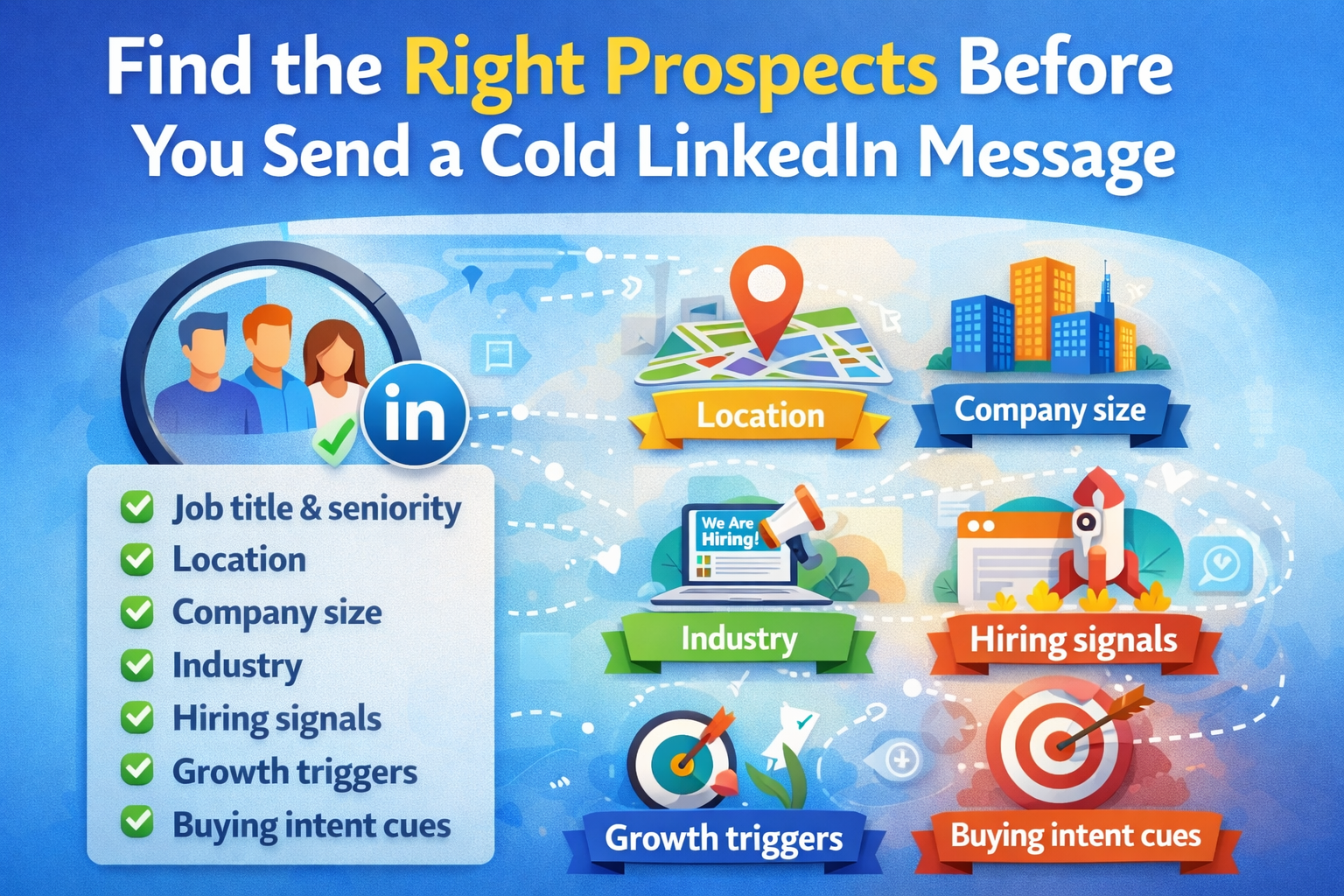
Oppora.ai helps you build sharper prospect lists using filters like:
- job title and seniority
- location
- company size
- industry
- hiring signals
- growth triggers
- buying intent cues
This means every message starts with stronger relevance because you are reaching people who are more likely to care in the first place.
Better targeting makes every template perform better because relevance starts with list quality, not just copy quality.
Add LinkedIn Outreach Into Multi-Channel Sequences
LinkedIn works best when it is part of a coordinated multi-touch workflow, not a standalone action. A connection request followed by email, then a smart follow-up, creates much stronger recall.
Oppora.ai lets you combine:
- LinkedIn invites
- connection messages
- cold email steps
- CRM updates
inside one self-running workflow. This helps your cold message LinkedIn strategy stay consistent across channels while improving timing and reply rates through smarter sequencing.
Use AI to Personalize Every LinkedIn Cold Message Template Faster
The biggest scaling problem is personalization speed. Reps either spend too much time researching, or they overuse templates until every message feels identical.
Oppora solves this with its AI planner and workflow agents that create messaging angles based on your ICP, role, company signals, and recent triggers.
It can use details like hiring activity, growth stage, or industry pain points to shape the best linkedin cold message template for that segment.
This gives you the speed of automation while keeping the surface-level message highly specific and human.
Conclusion
The best linkedin cold message template is the one that feels short, relevant, and easy to answer. Use these 20 templates as starting points, then adapt them to your ICP, timing, and triggers. Keep testing hooks, CTAs, follow-up gaps, and segmentation because small improvements compound fast. Over time, this turns cold messaging on LinkedIn into a repeatable pipeline growth channel.
Frequently Asked Questions
How to cold message on LinkedIn without sounding salesy?
Make it about their role, trigger, or recent activity, not your pitch. Keep it short and end with a curiosity CTA like “Worth exploring?” message feels natural and easy to answer.
What is the best LinkedIn cold message template?
The best linkedin cold message template depends on your ICP, trigger, and CTA. In most cases, short personalized openers using mutual context, role pain points, or recent activity perform best.
How long should a cold LinkedIn message be?
Keep your cold LinkedIn message to 2–4 short lines. This improves mobile readability, reduces drop-off, and makes replying feel easier, which naturally boosts response rates.
How many follow-ups should I send in cold messaging on LinkedIn?
Use a 3-touch follow-up flow: first message, one follow-up after 3–4 days, and a final nudge after 5–7 days. This keeps cold messaging LinkedIn persistent without feeling repetitive.
Does cold messaging on LinkedIn still work in 2026?
Yes, cold messaging on LinkedIn still works in 2026 when your outreach is short, role-specific, and relevant. Better segmentation, timing, and simple CTAs continue to drive strong reply rates.