How to Use MCP to Manage Email Marketing Workflows
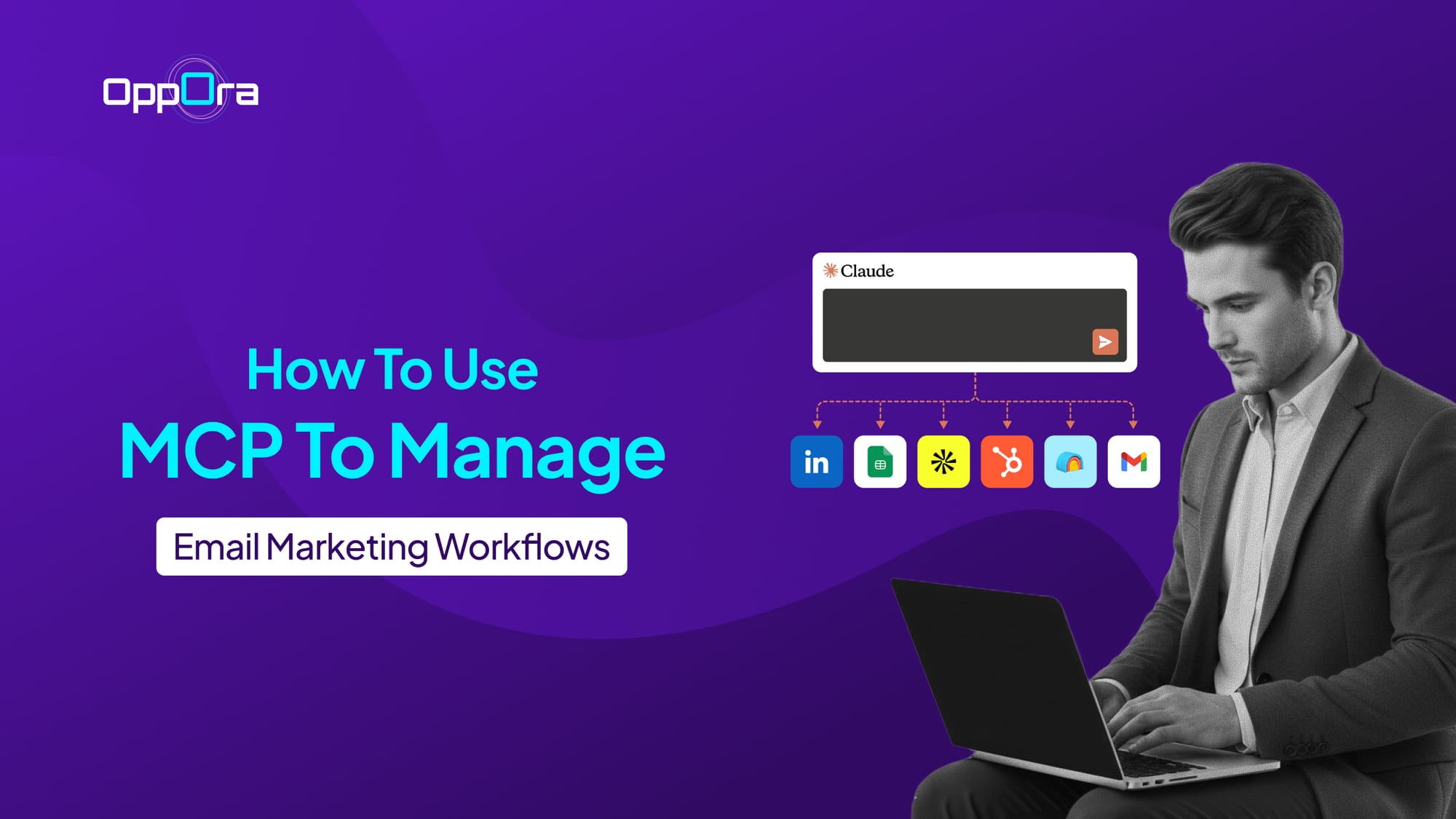
Most email marketing workflows break once your stack starts growing.
You collect leads from one tool, enrich data in another, push contacts into a CRM manually, and then use separate platforms for email sequencing, follow-ups, analytics, and AI personalization.
At some point, your workflow stops feeling like a system and starts feeling like patchwork automation.
That’s exactly why MCP is becoming a major topic in modern outbound and email operations.
Instead of forcing every tool to work independently, MCP helps your systems communicate through a shared operational layer.
That means your lead sourcing, enrichment, outreach, CRM updates, and AI workflows can operate together without constant manual intervention.
In this guide, you’ll learn:
- What MCP means in email marketing
- Real use cases for MCP email marketing automation
- How to build automated email workflows using MCP
- How platforms like Oppora simplify MCP-driven outbound systems
What Is MCP in Email Marketing?
Before jumping into workflows, you need to understand why people are suddenly talking about MCP in outbound automation.
MCP stands for Model Context Protocol.
In simple terms, MCP is a way to connect tools with AI models like Claude, ChatGPT, and others so that the AI can directly command and control those tools through structured context and actions.
Instead of tools just passing data between each other, MCP allows you to sit inside an AI interface and ask it to operate your systems in real time.
For example, you can tell Claude to find leads in US SaaS companies using a connected database like Oppora, or you can ask ChatGPT to create and launch an outreach campaign inside Oppora based on specific inputs like target audience, messaging, and offer.
The AI doesn’t just respond—it actually executes those actions inside the connected tools.
This is what makes MCP fundamentally different from traditional automation.
Instead of isolated workflows, MCP enables a model where the AI becomes the control layer across your tools.
Traditional automation usually looks like this:
- Find leads
- Export CSV
- Upload into CRM
- Enrich manually
- Create sequences
- Trigger campaigns
- Track replies separately
MCP-driven workflows remove most of these disconnected steps.
Now you can stay inside the AI itself and orchestrate everything through it.
The model understands your request, maintains context across steps, and performs actions across tools without requiring manual switching.
So instead of jumping between platforms, you can simply say things like:
find relevant prospects, enrich them, build a campaign, and start outreach — all in one flow, executed through connected tools controlled by the AI model.
That’s why MCP is becoming closely tied to AI-powered outbound systems.
It turns tools from separate systems into a single controllable environment where Claude, ChatGPT, or similar models can act as the operational layer for your entire workflow.
Why Traditional Email Marketing Workflows Break at Scale
Most workflows work fine when you’re sending 50 emails weekly.
Problems start once you scale personalization, lead generation, and multi-step automation.
You begin dealing with:
- Multiple enrichment tools
- CRM syncing delays
- Duplicate lead handling
- Manual follow-ups
- Disconnected analytics
- Workflow maintenance overload
And the biggest issue is context fragmentation.
Your email tool knows one thing.
Your CRM knows another.
Your AI writer has no idea what happened earlier in the workflow.
Your enrichment system updates too late.
This creates operational gaps that reduce:
- Deliverability
- Personalization quality
- Reply rates
- Campaign speed
- Team efficiency
MCP solves this by creating shared workflow intelligence between systems.
How MCP Improves Email Marketing Workflows
Once MCP becomes part of your workflow architecture, automation becomes much more adaptive.
Instead of static sequences, you get contextual workflows.
Here’s what changes.
1. Centralized Workflow Context
Every tool can access the same operational data.
That means:
- AI writers know lead context
- CRMs update automatically
- Enrichment happens dynamically
- Follow-ups adjust based on behavior
- Campaign logic becomes conditional
You stop rebuilding workflows manually.
2. Real-Time Trigger Automation
Traditional workflows rely heavily on scheduled automations.
MCP workflows can react instantly to signals like:
- Job changes
- Website visits
- Email opens
- CRM stage movement
- Buying intent signals
- LinkedIn activity
This creates more relevant outreach timing.
And relevance directly impacts reply rates.
3. AI-Powered Personalization at Scale
This is where MCP becomes especially valuable for outbound teams.
Instead of generating generic AI emails, MCP allows AI systems to pull live context from connected tools.
That can include:
- Prospect role
- Company activity
- CRM history
- Previous replies
- Website data
- Intent signals
Now AI-generated emails feel informed instead of templated.
Suggested Reading:
Best Outbound Lead Generation StrategiesReal MCP Email Marketing Workflow Examples
Now that the concept is clearer, let’s look at how MCP email marketing workflows actually work in practice.
Instead of running disconnected automations across different tools, MCP allows you to sit inside an AI model like Claude or ChatGPT and directly command tools like Oppora, CRMs, and enrichment systems in one continuous flow.
The key shift is simple: you are no longer moving data between tools. You are telling the AI what to do, and it executes actions across your stack.
Here are a few real workflow examples.
Workflow 1: Claude-Controlled Lead → Campaign Execution (Oppora + CRM)
Imagine you open Claude and say:
“Find SaaS companies in the US hiring SDRs, build a lead list, and run an outreach campaign.”
Through MCP connections, Claude directly interacts with Oppora.
Here’s what actually happens:
- Claude triggers Oppora’s lead search module to pull SaaS companies hiring SDRs
- Oppora’s database returns verified decision-makers (VP Sales, Founders, Heads of Growth)
- The enrichment agent in Oppora fills missing emails, verifies contacts, and removes invalid leads
- Claude then instructs Oppora to generate personalized email sequences for each segment
- Campaign is created and launched inside Oppora automatically
- Replies are captured and synced into HubSpot or Salesforce CRM without manual work
At no point are you exporting CSVs or switching tools. Claude is effectively operating Oppora like an internal command center.
Workflow 2: RB2B + Oppora + Claude for Intent-Based Outreach
Now imagine using Claude as your control layer while tools like RB2B and Oppora work together behind the scenes.
You tell Claude:
“Monitor companies visiting our pricing page and launch outbound campaigns for high-intent accounts.”
Here’s how the MCP-connected workflow operates:
- RB2B identifies companies visiting your pricing or product pages
- Visitor data gets pushed into Oppora automatically through the MCP connection
- Claude receives this buying-intent context in real time
- Oppora searches for relevant decision-makers inside those companies
- Leads are enriched and verified automatically before outreach
- Claude generates personalized messaging based on the pages visited and intent level
- Oppora creates and launches outreach campaigns automatically
- High-intent accounts are tagged and synced into HubSpot or Salesforce
- Slack notifications alert sales reps when engagement becomes highly active
For example, if a cybersecurity company repeatedly visits your pricing page, Claude can instruct Oppora to generate security-focused messaging, trigger a faster follow-up sequence, and prioritize those leads automatically.
Instead of static drip campaigns, the outreach adapts dynamically based on real-time intent signals flowing from RB2B into Claude and Oppora.
Workflow 3: Multi-Channel Execution Inside One AI-Controlled System
This is where MCP becomes powerful for full outbound orchestration.
You can instruct Claude or ChatGPT:
“Run a multi-channel campaign for fintech startups in India and follow up based on engagement.”
The system then coordinates everything across tools like Oppora, LinkedIn automation tools, and CRM platforms:
- Oppora starts email outreach to fintech decision-makers
- If no email reply is detected in 48 hours, Oppora triggers LinkedIn connection requests automatically
- ChatGPT adjusts follow-up messaging based on engagement history (opens, clicks, replies)
- CRM updates in real time with every interaction
- Slack notifications alert the sales team when a lead responds or shows buying intent
- If a lead replies positively, Oppora automatically schedules a meeting and syncs it to Google Calendar
So instead of separate tools running isolated campaigns, Claude or ChatGPT acts as the brain that coordinates everything, while Oppora and other systems execute the actions.
This is what MCP fundamentally enables in email marketing:
AI models like Claude and ChatGPT don’t just assist you—they directly operate your entire outbound system through connected tools like Oppora, CRM platforms, and enrichment engines.
Workflow 4: Multi-Tool MCP Workflow (Claude + Oppora + Clay + HeyReach)
This is where MCP workflows become significantly more powerful than traditional outbound automation.
Instead of using disconnected sales tools separately, MCP allows AI models like Claude to coordinate multiple tools together as one operational system.
Imagine telling Claude:
“Find US SaaS founders actively hiring SDRs, enrich them, personalize outreach, and start both email + LinkedIn campaigns automatically.”
Here’s how the workflow executes across multiple connected tools:
- Claude triggers Clay to identify SaaS companies hiring SDRs and pull enrichment signals
- Clay enriches the accounts with company size, funding data, hiring intent, LinkedIn profiles, and decision-maker information
- The enriched data flows directly into Oppora.ai through the MCP connection
- Oppora.ai verifies emails, scores leads, and prepares outreach sequences automatically
- Claude analyzes the full context from Clay + Oppora.ai and generates personalized messaging for each segment
- Oppora.ai launches email campaigns directly from connected inboxes
- If prospects do not respond through email, Claude instructs HeyReach to begin LinkedIn outreach automatically
- HeyReach sends LinkedIn connection requests and follow-up messages in sync with the email campaign
- Replies and engagement from both channels are synced back into the CRM automatically
- Slack notifications alert the sales team when high-intent prospects engage or reply positively
For example, if Clay identifies that a company recently raised funding and is aggressively hiring sales reps, Claude can automatically adjust messaging around scaling outbound faster, while Oppora and HeyReach coordinate outreach across both email and LinkedIn simultaneously.
Instead of manually operating four separate tools, Claude becomes the operational layer controlling Clay for enrichment, Oppora for execution, and HeyReach for LinkedIn outreach inside one connected MCP workflow.
How to Build an MCP Email Marketing Workflow
Once you understand the workflow examples, the next step is learning how to structure one properly inside a real system.
In an MCP-enabled setup like Oppora with Claude MCP integration, you don’t manually stitch tools together.
Instead, you define intent inside Claude, and Oppora executes the workflow across lead data, outreach, and CRM systems in real time.
The key idea is simple: Claude becomes the control layer, and Oppora becomes the execution layer.
Here’s how a real Oppora-based MCP workflow is structured.
Step 1: Sign Up for Oppora and Claude
The first step is setting up your AI control layer and execution system.
You need:
- A Claude account to operate workflows through MCP
- An Oppora account to handle prospecting, enrichment, outreach, replies, and CRM execution
Once both are ready, you can start connecting them into one operational workflow instead of using disconnected outbound tools manually.
Step 2: Connect Oppora MCP With Claude
After setup, connect Oppora’s MCP server with Claude.
For a detailed set up guide, read this:https://oppora.ai/docs/mcp/
This allows Claude to directly access and control Oppora actions from inside the Claude interface itself.
Once connected, Claude can:
- Search leads using Oppora databases
- Create and launch campaigns
- Trigger enrichment workflows
- Verify emails
- Manage outreach sequences
- Sync CRM activity
- Control follow-ups and reply workflows
At this point, Claude stops behaving like just a chatbot and starts acting like an operational control layer for outbound execution.
Step 3: Connect Additional Tools Through Their MCP Connectors
Now you can expand the workflow by connecting additional tools into Claude using their MCP integration guidelines.
For example:
- Connect Clay for advanced enrichment and intent data
- Connect HeyReach for LinkedIn automation
- Connect HubSpot or Salesforce for CRM syncing
- Connect Slack for sales notifications
- Connect RB2B for visitor intent signals
Once these connectors are enabled, Claude can coordinate actions across all of them through a single conversational workflow.
Instead of switching between tools, the tools now operate together under one AI-controlled system.
Step 4: Start Prompting Claude to Run Workflows
Once the MCP connections are live, you can operate your outbound system directly through prompts inside Claude.
For example, you can say:
- “Find SaaS founders in the US hiring SDRs and launch an outbound campaign.”
- “Pull companies visiting our pricing page and start LinkedIn outreach for high-intent accounts.”
- “Use Clay enrichment data and create personalized sequences inside Oppora.”
- “Pause outreach for leads that already booked meetings.”
Claude then coordinates the workflow across Oppora and all connected tools automatically.
Oppora executes prospecting, enrichment, email campaigns, replies, and CRM updates, while tools like Clay, RB2B, and HeyReach contribute enrichment, intent data, and multi-channel outreach actions.
This is what a real MCP email marketing workflow looks like in practice.
Claude acts as the command layer.Oppora acts as the execution engine.Connected tools share context and actions across the workflow automatically.
The Future of MCP Email Marketing
Email marketing best practice is moving away from static automations.
The next phase is adaptive operational systems.
You’ll see more workflows built around:
- AI agents
- Context sharing
- Real-time triggers
- Behavioral personalization
- Multi-system coordination
MCP is becoming the infrastructure layer behind this shift.
And as AI outbound systems evolve, marketers who understand workflow orchestration early will have a major operational advantage.
Final Thoughts
MCP email marketing is not just another automation trend.
It’s a shift from disconnected tools toward connected workflow intelligence.
Instead of managing separate systems manually, you create workflows where:
- Data flows automatically
- AI understands context
- Campaigns adapt dynamically
- Outreach becomes faster and more personalized
The biggest benefit is not just automation.
It’s operational clarity.
Once your workflows stop fighting each other, scaling outbound becomes much easier.
Frequently Asked Questions
Is MCP only useful for enterprise email marketing teams?
Not at all. Even smaller outbound teams benefit from MCP-style workflows because they reduce repetitive operational work and help manage multiple tools more efficiently.
The biggest advantage is workflow coordination, not company size.
How is MCP different from regular email automation?
Traditional automation follows fixed rules and isolated triggers. MCP workflows are more context-aware.
Instead of tools operating independently, systems continuously exchange information so workflows can adapt dynamically based on prospect behavior and campaign activity.
Can MCP workflows reduce reply delays in outbound campaigns?
Yes. Because workflows react in real time, follow-ups, notifications, CRM updates, and AI-generated responses can happen automatically as soon as a prospect engages.
This helps teams respond faster while maintaining personalization.
Can AI agents run entire email workflows inside MCP systems?
In many setups, yes.
AI agents can help automate prospect research, enrichment, personalization, follow-ups, reply classification, CRM updates, and campaign optimization while workflows coordinate the overall process.